We ship every week.
Here's what landed.

GoodBooks is built by people who answer the support email, so features come from real treasurer problems — and they come fast. This page is the changelog for humans, grouped by month.

Free plan available · No credit card required · Read past newsletters

November 2026

Less typing, and the reports the IRS asks for.

November is about the hours a treasurer spends copying numbers from one place to another. Your bank's activity and your payroll now come in from a file (or straight from the bank), and the year-end reports your board, auditor and tax preparer ask for are built from the books you already keep.

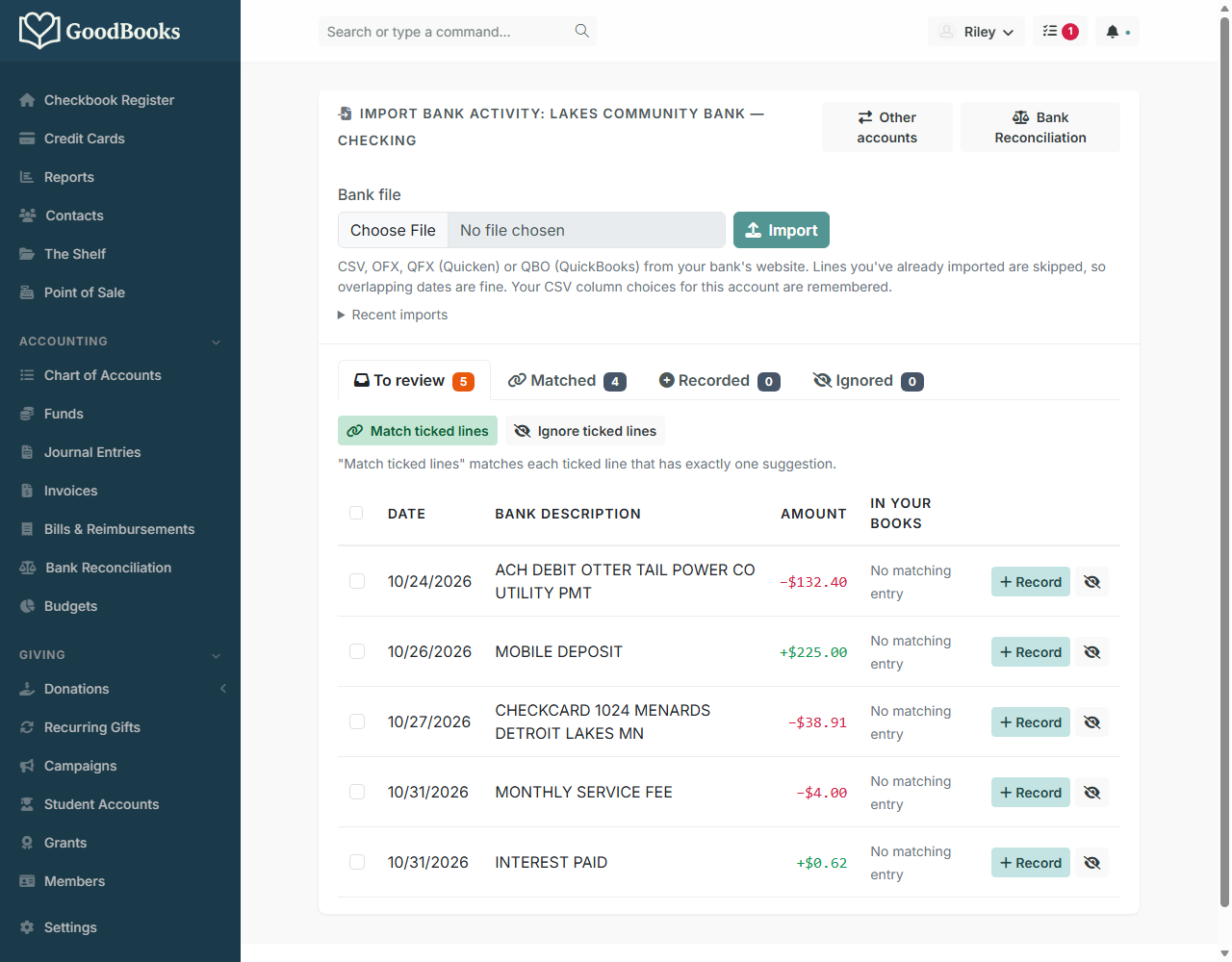
Import Bank Activity with five bank lines to review, each with a Record button

Import your bank's activity instead of typing it

Download the file from your bank's website (CSV, OFX, QFX or QBO) and GoodBooks reads it. Lines already in your books are matched for you: checks by check number, everything else by amount within a few days. Anything new is one click to record with the account and fund you choose. Overlapping downloads never double a line, every step can be undone, and your next bank reconciliation starts with everything the bank showed already checked off.

Foundation and up

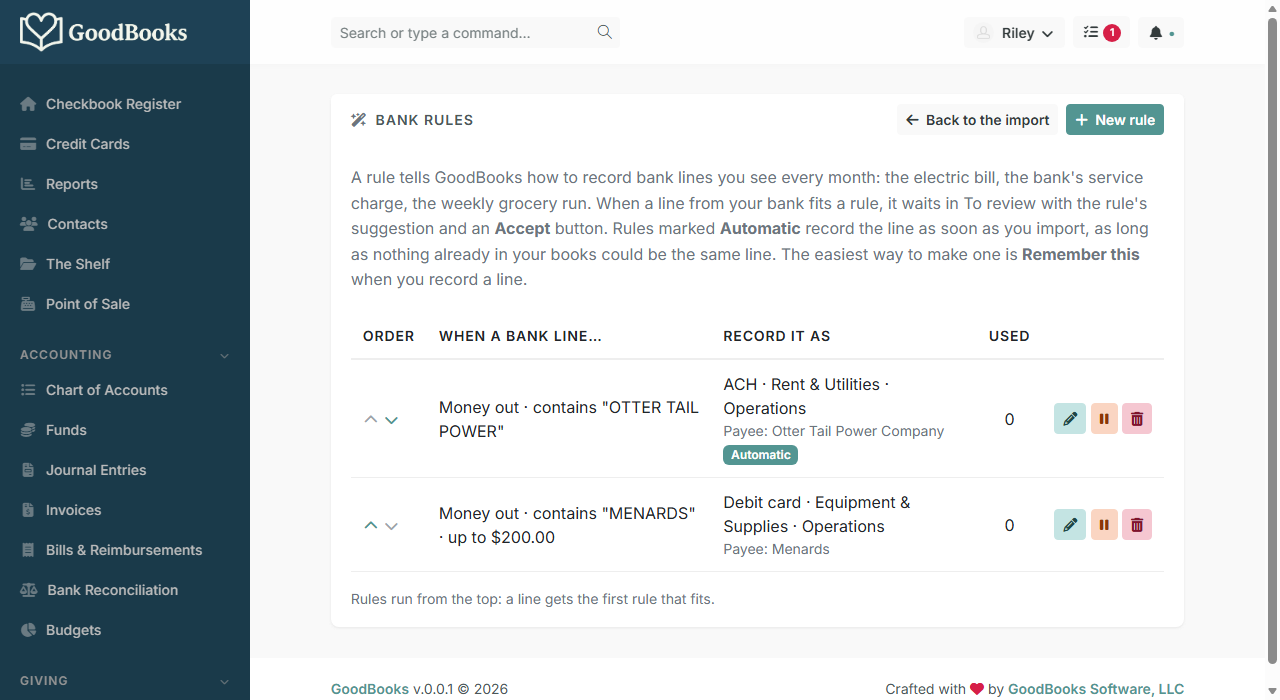
The Bank Rules page with rules for the power company and hardware store purchases

Bank rules, and a bank that sends its own activity

Tell GoodBooks once how to record the electric bill or the service fee, and next month it suggests the same account and fund. On Core a rule can record those lines by itself. Or skip the download entirely: Link your bank once (you sign in at your bank; GoodBooks never sees your password) and new activity arrives every day, matched and coded the same way.

Rules: Foundation and up (automatic on Core) · Linked bank: Core includes one; each extra account, or one on Foundation, is $1 a month or $10 a year

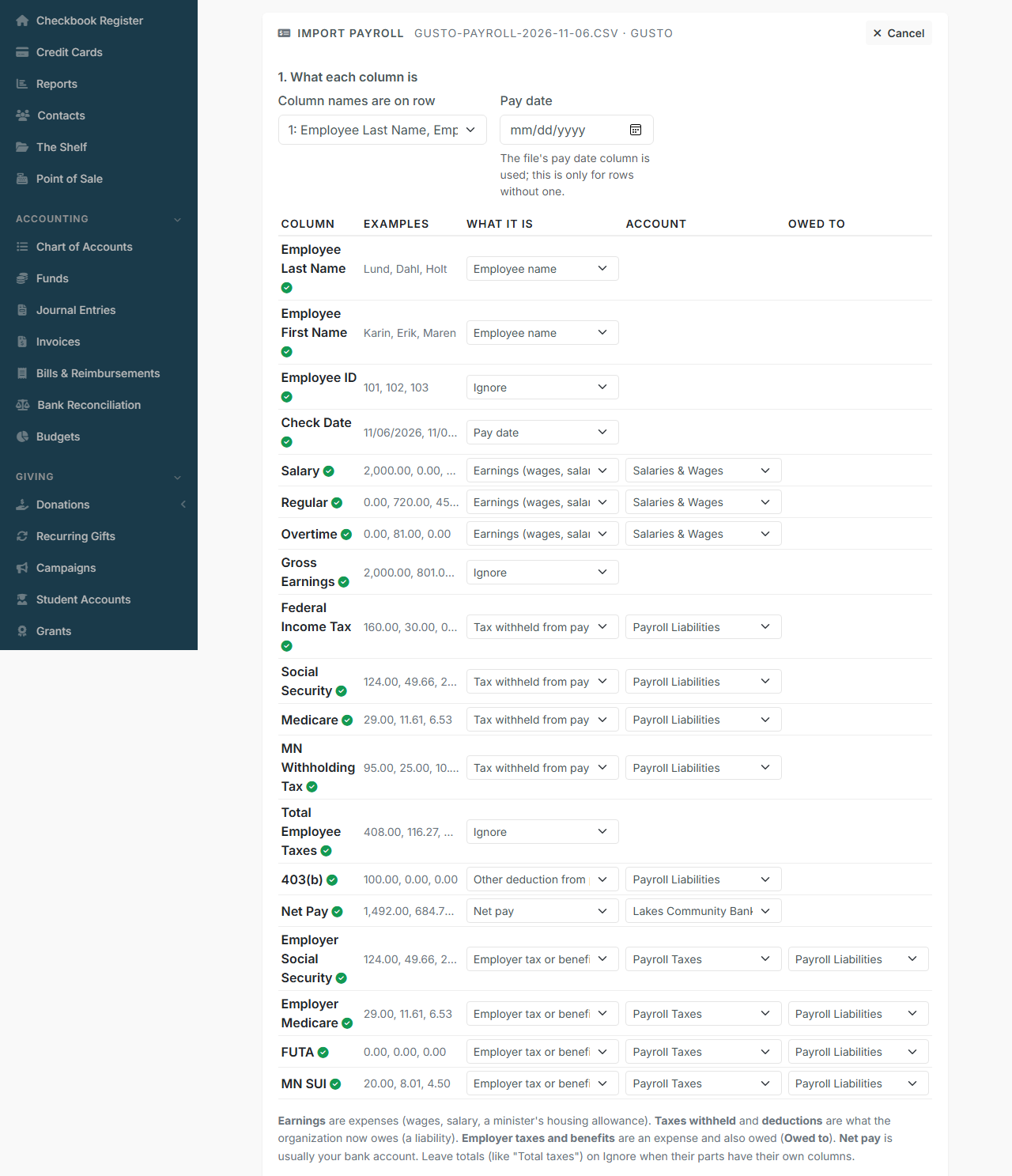
The Import Payroll page with a payroll register file read into wages, taxes and net pay columns

Import payroll

Upload the payroll register from Gusto, ADP, Paychex, Patriot, QuickBooks Payroll and others, and GoodBooks posts one journal entry per pay date: wages and employer taxes by fund, plus taxes withheld and net pay. It remembers your columns and each person's fund (or split across funds and grants), checks that every row adds up, shows only totals so nobody's pay is on display, and won't let the same payroll in twice.

Foundation and up

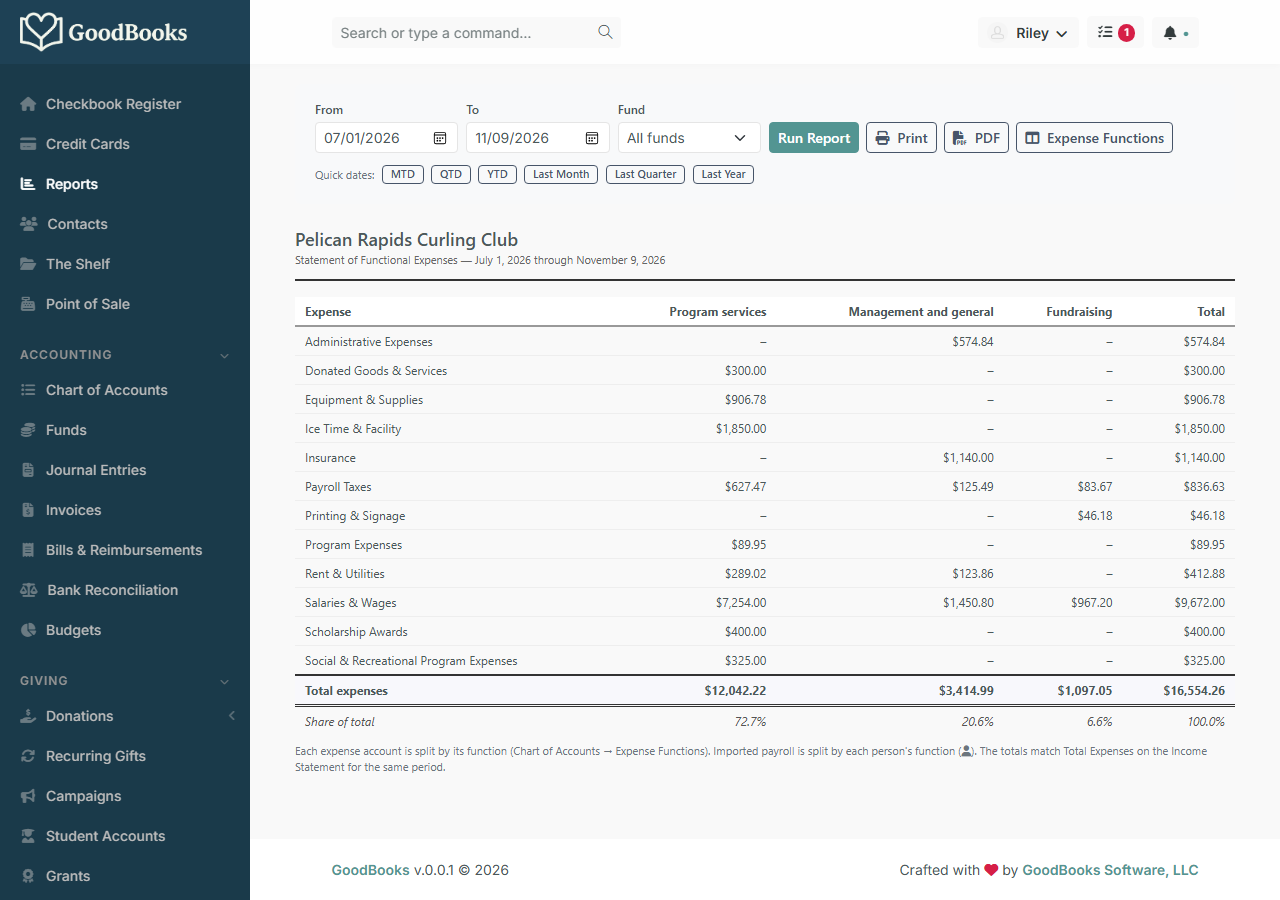
A Statement of Functional Expenses splitting expenses across program services, management and general, and fundraising

Functional expenses and last-year comparisons

The Statement of Functional Expenses splits every expense across program services, management and general, and fundraising: what auditors, grantmakers and the Form 990 ask for. Set each account's split once (GoodBooks suggests one to start). Separately, the Income Statement and Balance Sheet can now compare with last year, with the change in dollars and percent.

Functional expenses: Core and up · Comparisons: Foundation and up

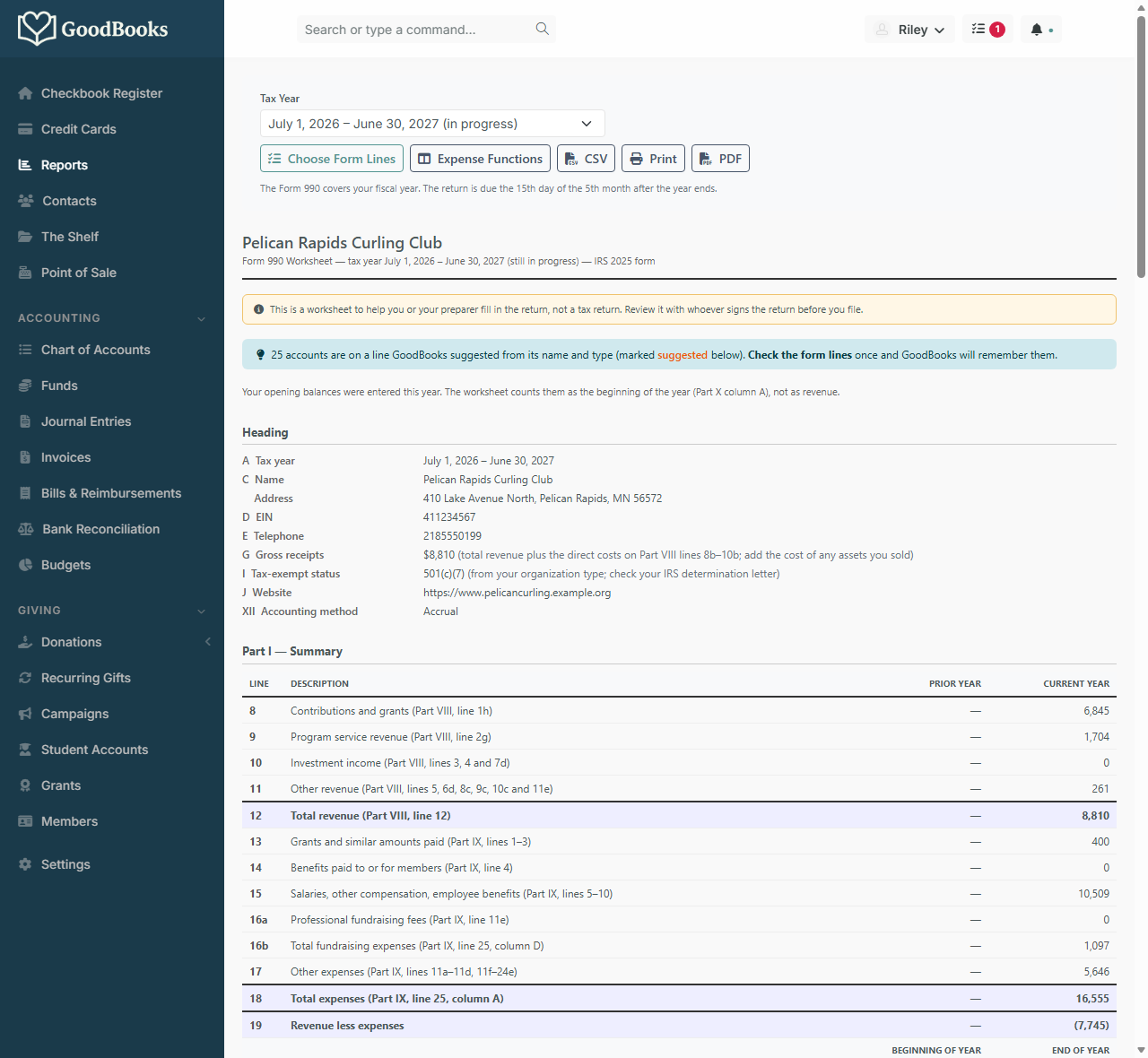
The Form 990 Worksheet with the Part I summary filled in from the books for this year and last

The full Form 990 worksheet, and a Pro plan

For organizations that file the full Form 990, the new worksheet fills in the money parts from your books: the Part I summary, revenue, functional expenses in all four columns, the balance sheet and net asset reconciliation, plus the Schedule A public support test and the Schedule B donor list. Hand your preparer the CSV or PDF. It comes with the new Pro plan ($75 a month or $750 a year): accounts payable, per-fund budgets and no limits.

Pro

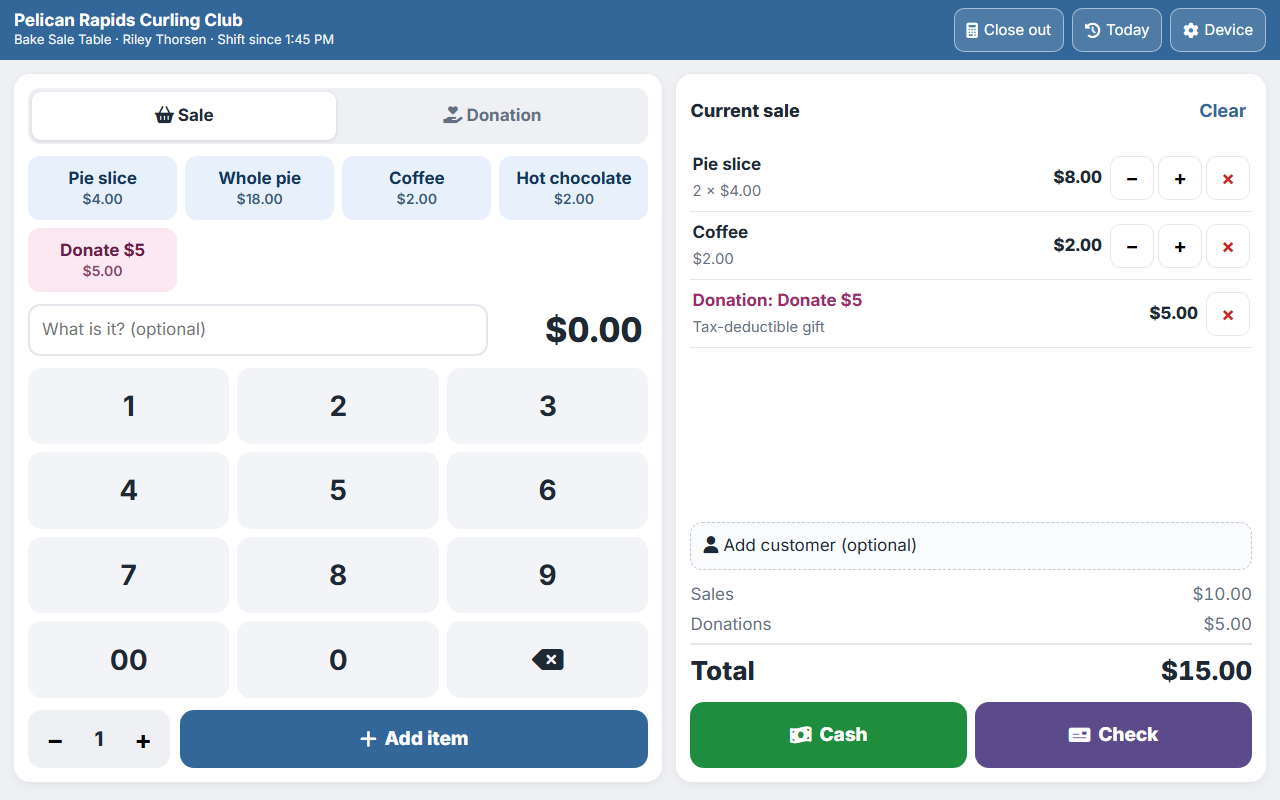
The point of sale register at a bake sale table with pie slices, coffee and a donation in the current sale

A point of sale for the concession stand

Run the bake sale, concession stand or merch table from a tablet: quick buttons, cash, check and card, and a donation in the same sale. Volunteers sign in with a PIN or a badge instead of a GoodBooks login. New this month: sales tax that goes to its own payable account (with a Minnesota fundraising exemption tracker), refunds a manager approves on the spot, rounding cash to the nearest nickel, and a sales report for the board.

More about the point of sale →

Foundation and up

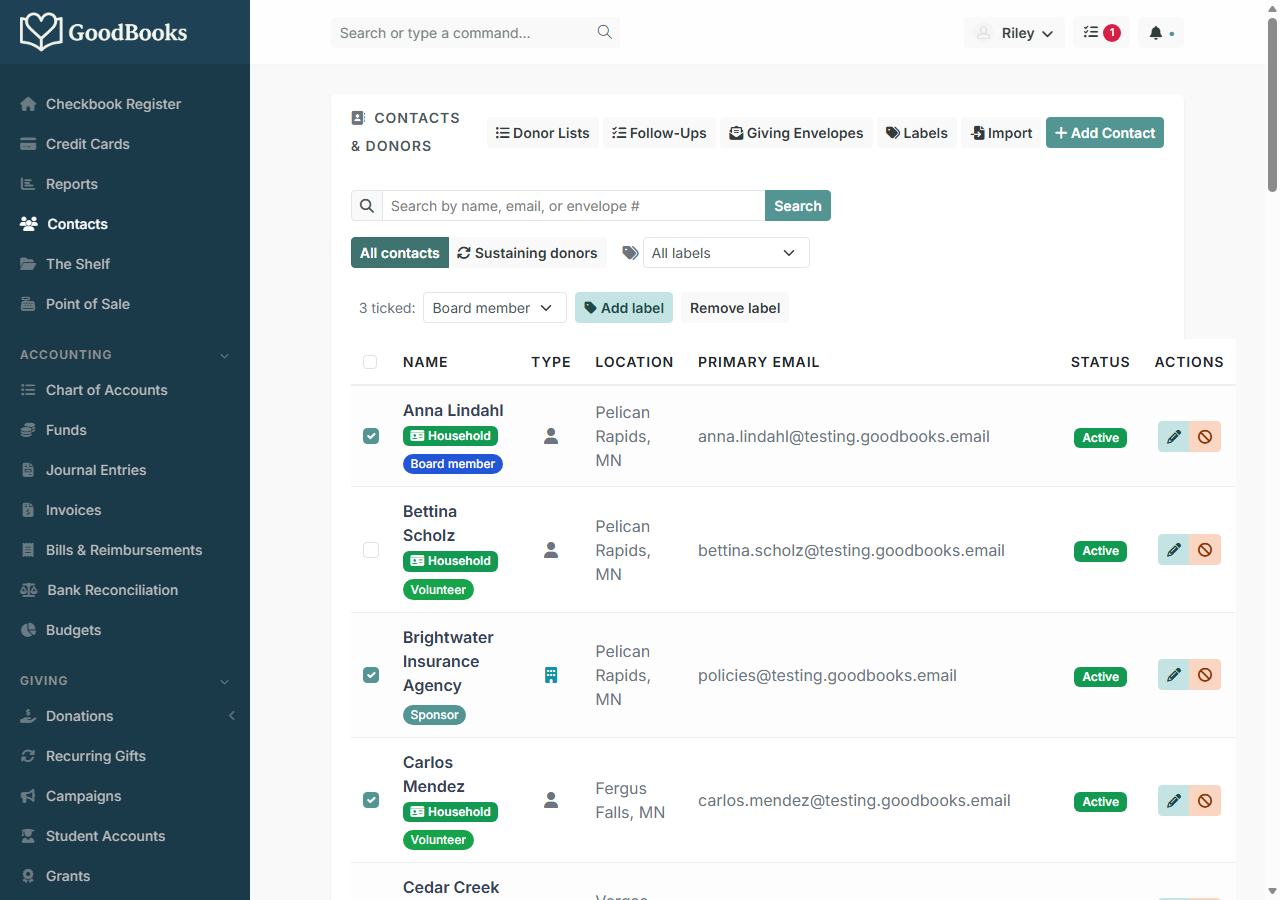
The Contacts list with colored labels under each name and three contacts ticked to add a Board member label

Contact labels and gift history

Sort contacts into your own groups (board, volunteers, sponsors, families) with colored labels, add one to many contacts at once, and filter your lists and Donor Lists by them. Gifts dated before you started on GoodBooks can now be entered as gift history: they show on donor records and giving statements but never post, because your opening balances already include them.

Every plan · labels: Free 3, Foundation 10, Core 30, Pro unlimited

October 2026

Fundraisers, roles, and a lighter load for the treasurer.

October was fundraiser season: bake sales, cookie dough, and galas, run by volunteers who shouldn't need the keys to the books. Along the way we gave the treasurer real help with reimbursements and recurring gifts, and a shorter menu.

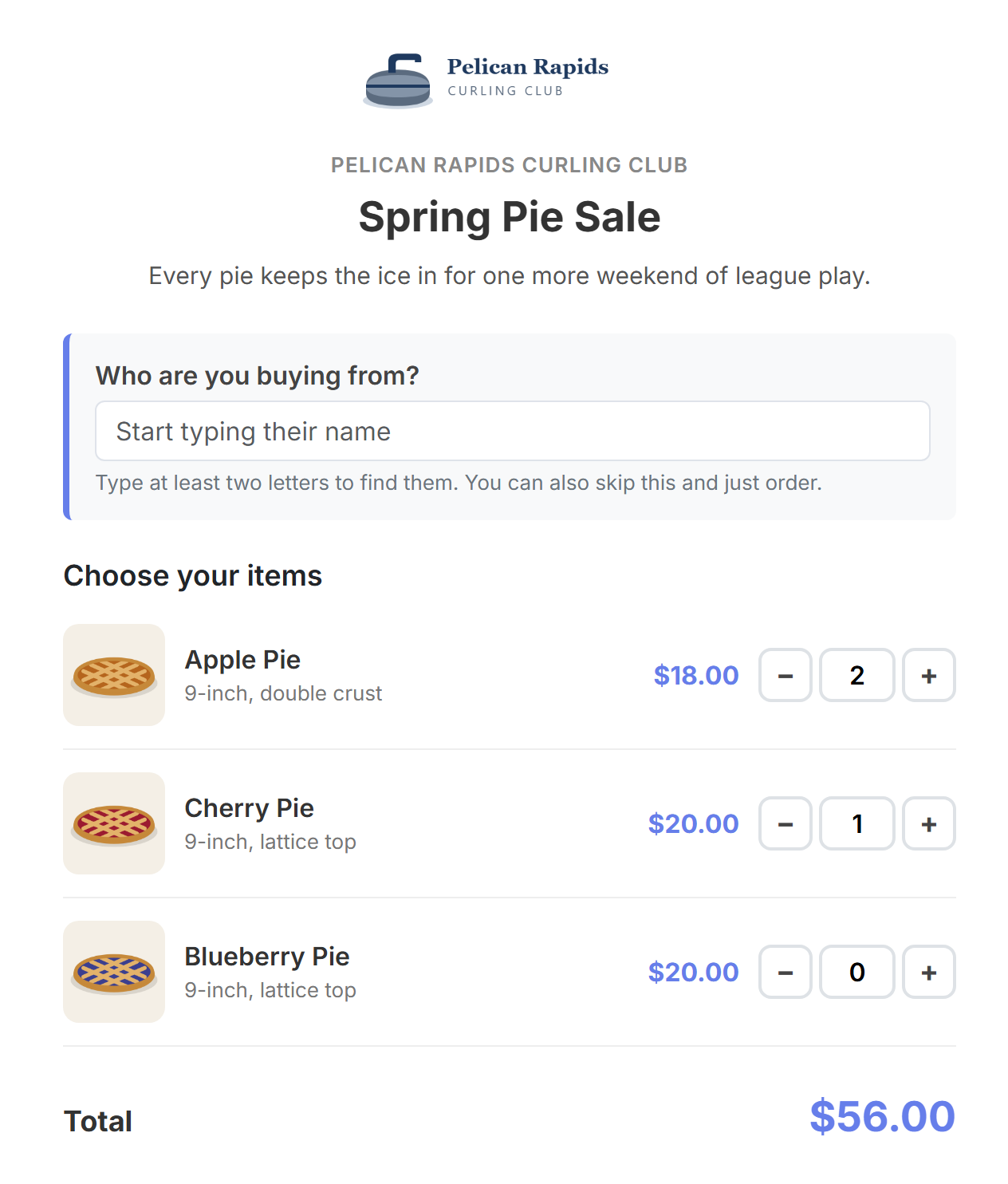
A fundraiser order page for a pie sale with pictures, prices and quantities

Order-taker fundraisers

Run a cookie-dough, wreath, or discount-card sale from a campaign. List your items and prices, paste your roster, and every student gets a personal link to share. Buyers order and pay by card or check; you see totals by student and by item, print delivery sheets, and export everything to Excel. Optional extras: a private "My Sales" page for each seller and a shareable leaderboard.

Foundation and up
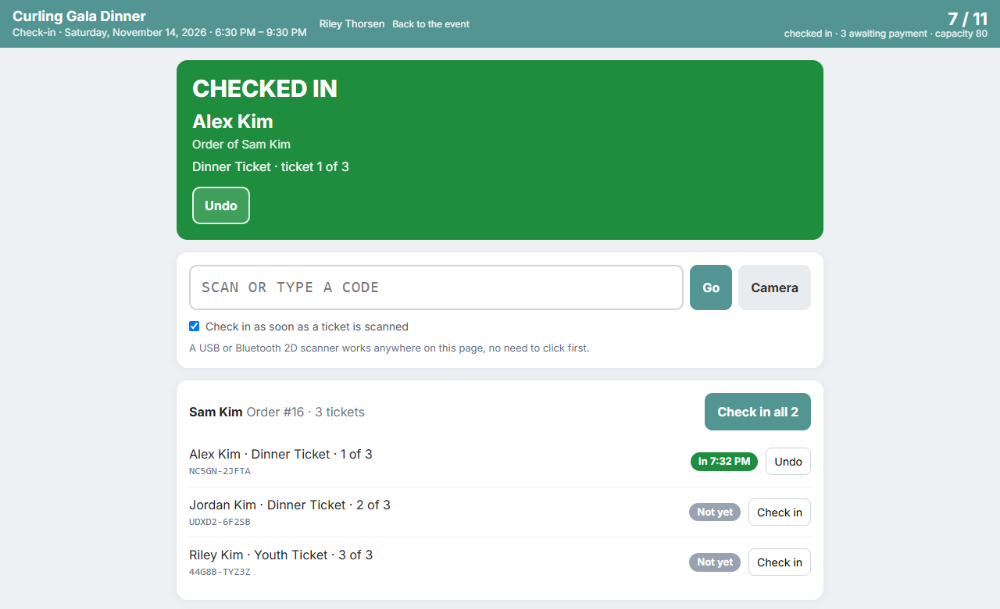
The door check-in screen with a guest checked in and a box to scan the next ticket

Event tickets and door check-in

Sell tickets to a dinner, concert, or gala with capacity limits, "Table of 8" tickets, and comps for sponsors. Every guest gets a QR-code ticket by email. At the door, scan with a phone camera or a plug-in barcode scanner, take cash or checks from guests who haven't paid, and keep checking people in even when the Wi-Fi drops. Volunteers sign in with a PIN, not a GoodBooks login.

Foundation and up
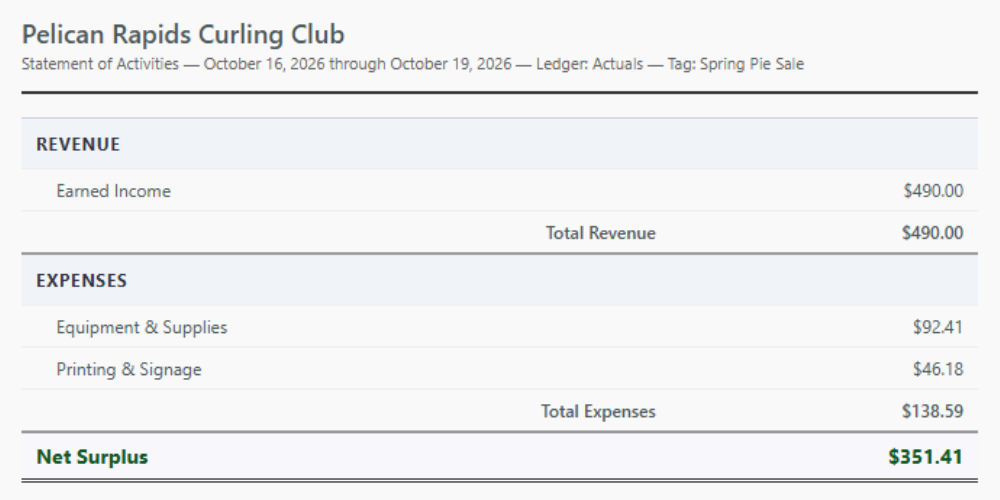
A fundraiser profit and loss report showing income, expenses and the net

One-click fundraiser P&L

"How much did the pie sale actually make?" One button on the fundraiser shows its income, what you spent on it by account (supplies, signs, printing), and the net. Tag a check, debit card, ACH payment, or credit card charge to the fundraiser when you enter it, and it lands in the right P&L.

Foundation and up
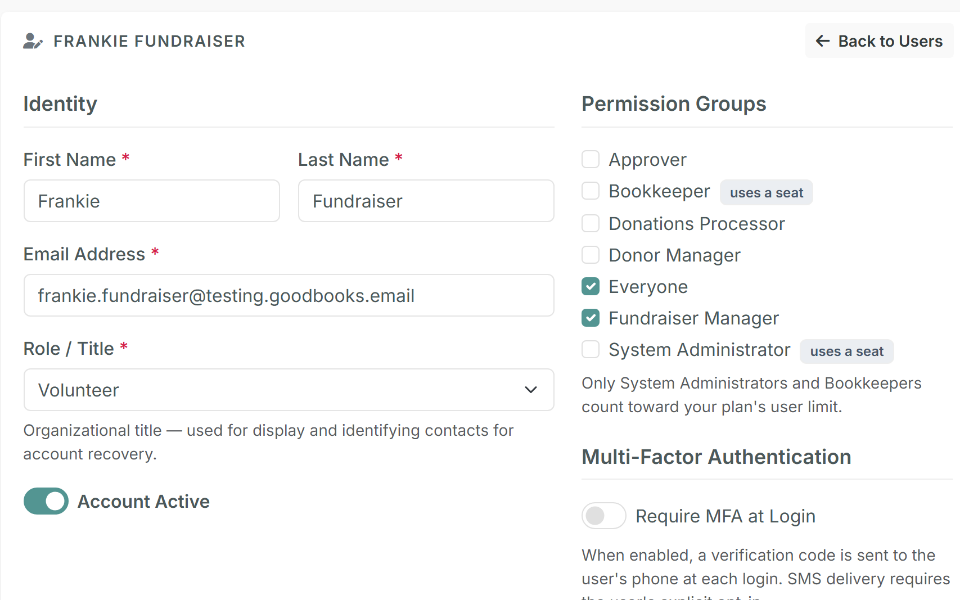
Editing a volunteer in GoodBooks with the Fundraiser Manager role checked

A role for the fundraiser chair

The new Fundraiser Manager role lets a volunteer run fundraisers (items, tickets, orders, check-in, deposit slips, and the fundraiser's P&L) without seeing your books, donors, or settings. The Donations Processor role is now just the donations job. Each person's menu shows only what their role can open, and only administrators and bookkeepers count toward your plan's user limit.
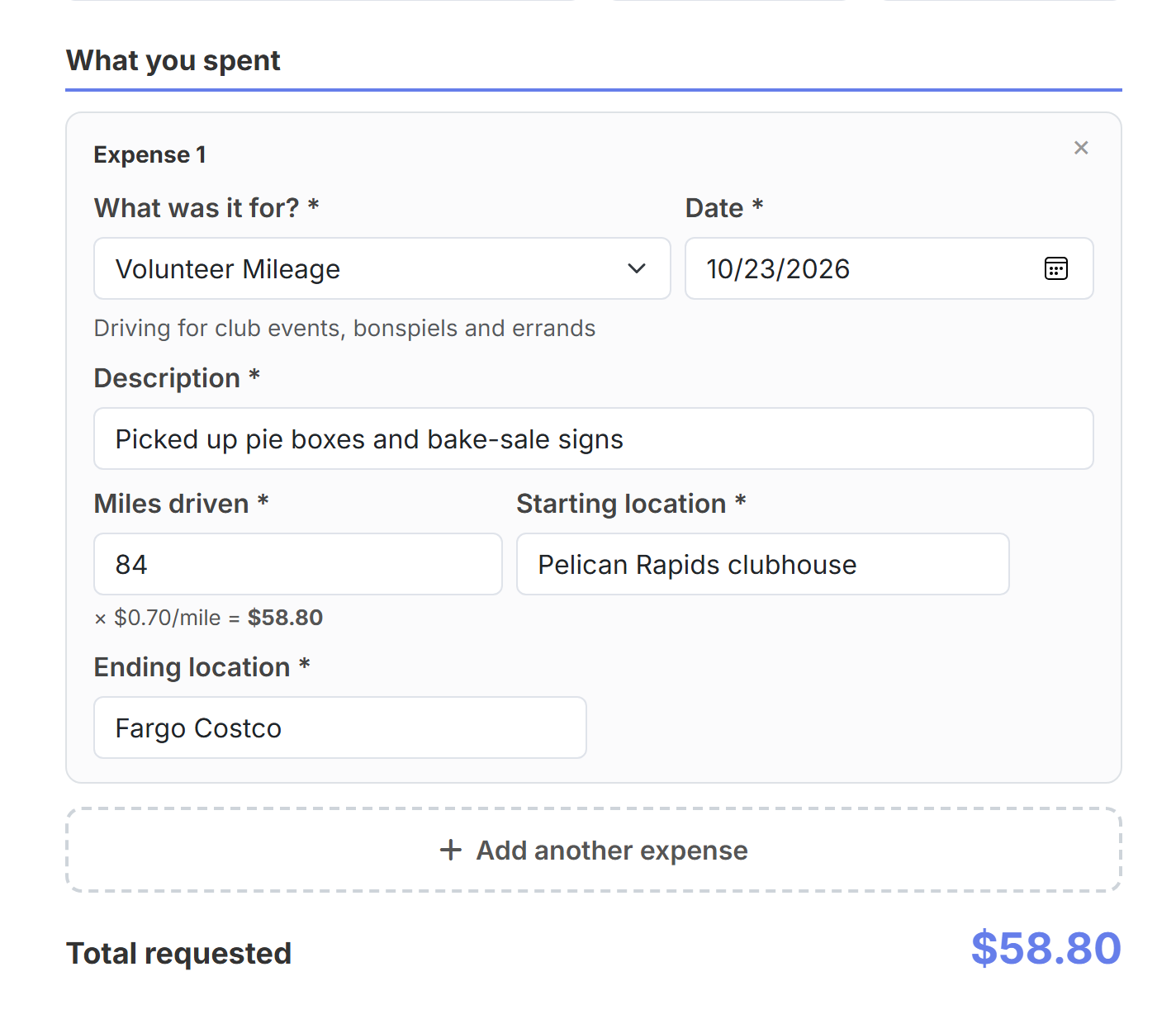
A volunteer mileage reimbursement request with miles driven, locations and the total

Volunteer expense reimbursements

Give volunteers a simple page to submit what they spent, with a receipt photo per line and mileage at your rate. Requests come to you numbered, an approver signs off (nobody approves their own), and you pay by printed check, handwritten check, ACH, or debit card. The register entry carries one PDF with the request, the mileage log, and every receipt. Vendor bills work the same way.

Foundation and up

The front of a GoodBooks thank-you postcard with the organization's logo and a large Thank you

Thank-you cards that mail themselves

Thank a donor with a real postcard: pick one of three designs (or write your own), click send, and it's printed and mailed First-Class the next business day. Send one from a gift or a whole batch at once. Year-end giving statements, invoices (with a QR code to pay online) and checks from your bank account can be mailed the same way. Each piece is paid from a prepaid balance you top up by card, with no subscription.

Every plan · mailed invoices with invoicing (Foundation and up)
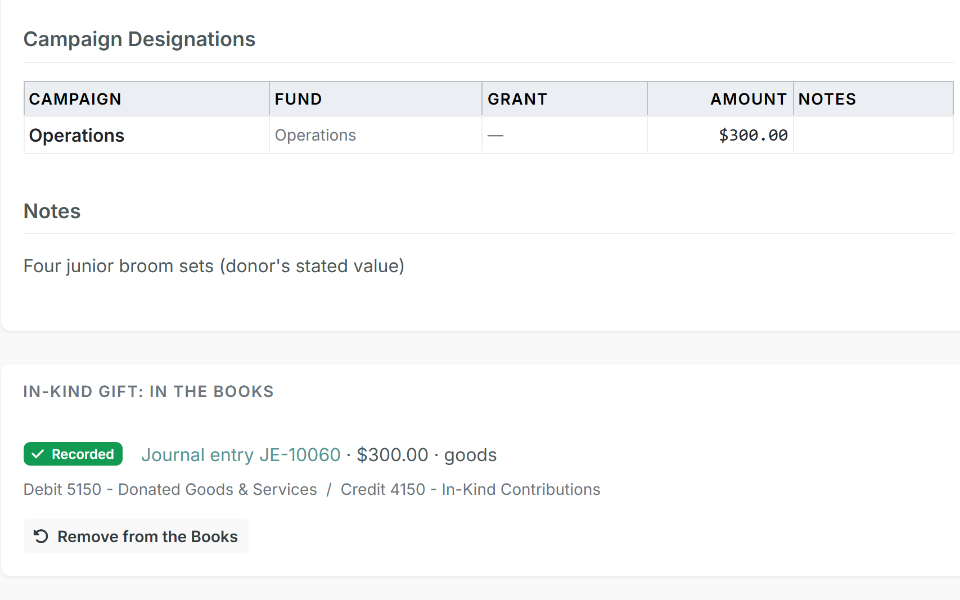
An in-kind gift recorded in the books at its fair value, with the journal entry it created

In-kind gifts in the books

When someone donates the new whiteboards or the banquet food, record it as an in-kind gift and GoodBooks books it at its fair value, as a contribution and as donated goods, so the gift shows up on your statements and Form 990 the way your auditor expects. GoodBooks sets up the two accounts for you (or use your own), donated professional services must pass the accounting rules first, and it's optional, so the box of donated pens can stay off the books.

Every plan
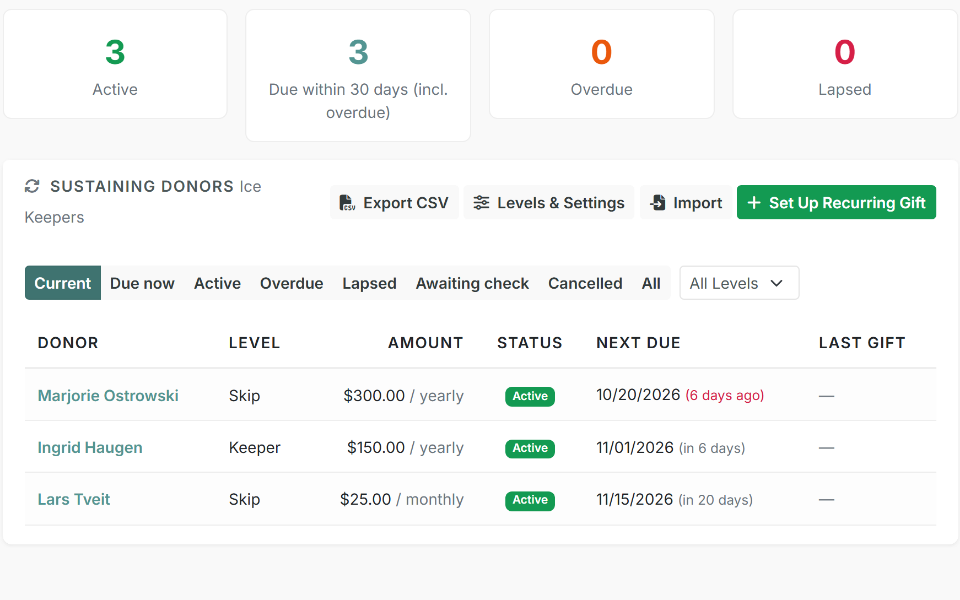
The Recurring Gifts list with active, due, overdue and lapsed counts and each donor’s next due date

Recurring gifts, automatic or reminded

Track sustaining donors with renewal reminder emails and a /sustain sign-up page (Foundation and up). On Core, donors can also give automatically: yearly, quarterly, monthly, twice a month, or every two weeks, with a card or bank account saved by Stripe, a week's notice before yearly charges, and a private link to update or cancel.

Foundation and up · automatic giving on Core
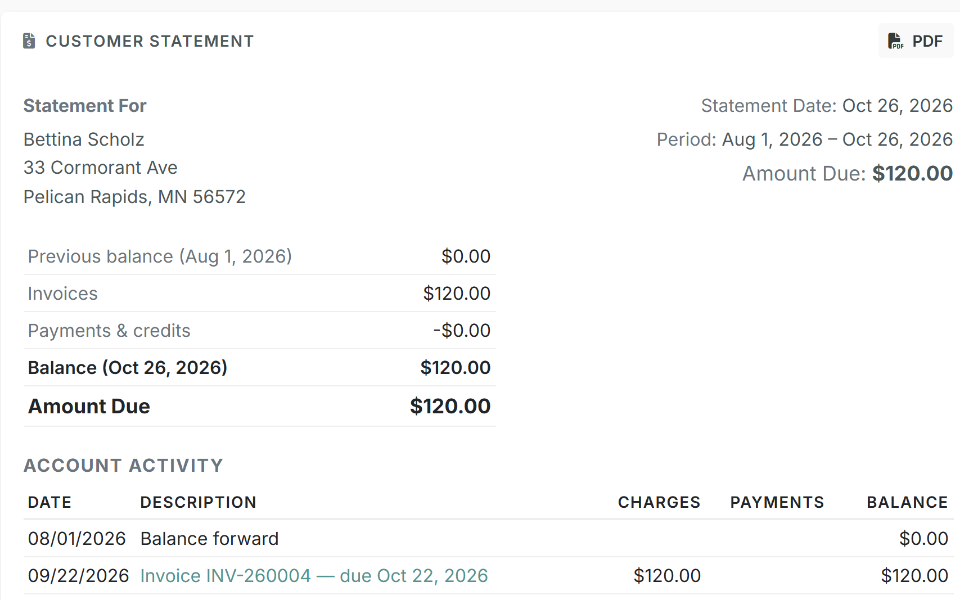
A customer statement with the previous balance, invoices, payments and amount due

Customer statements

For organizations that invoice: a balance-forward statement for any customer, with open invoices, days past due, and "Pay online" links. Send them one at a time or select everyone with a balance and email the whole batch in the background.

Foundation and up
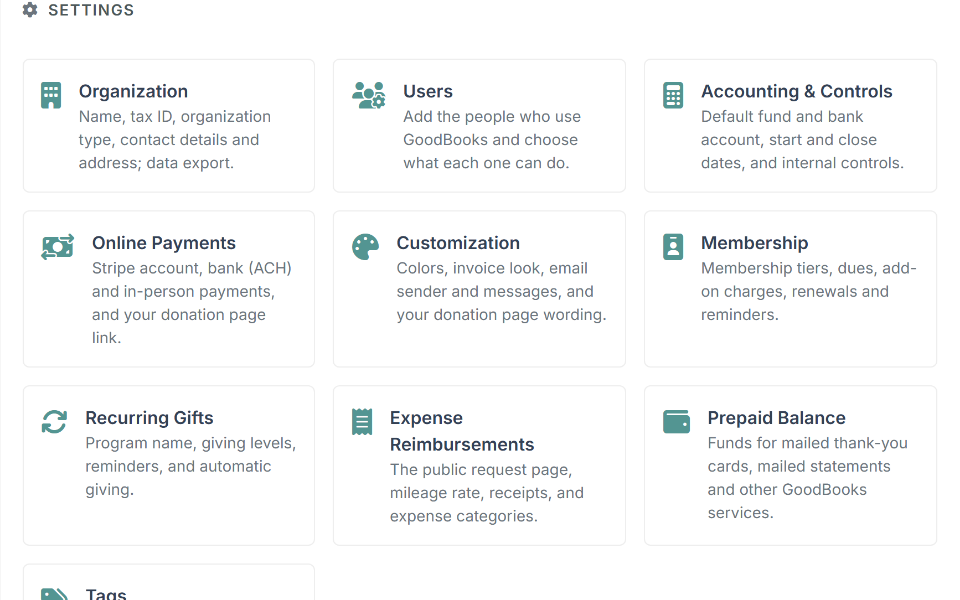
The Settings page with a card for each area: organization, users, online payments, membership and more

A shorter menu and one Settings page

The left menu went from about 27 links to 17: everyday pages on top, then Accounting and Giving sections that fold away. The nine settings pages are now cards on one Settings page. New users also get a Getting Started guide for their first weeks as treasurer.
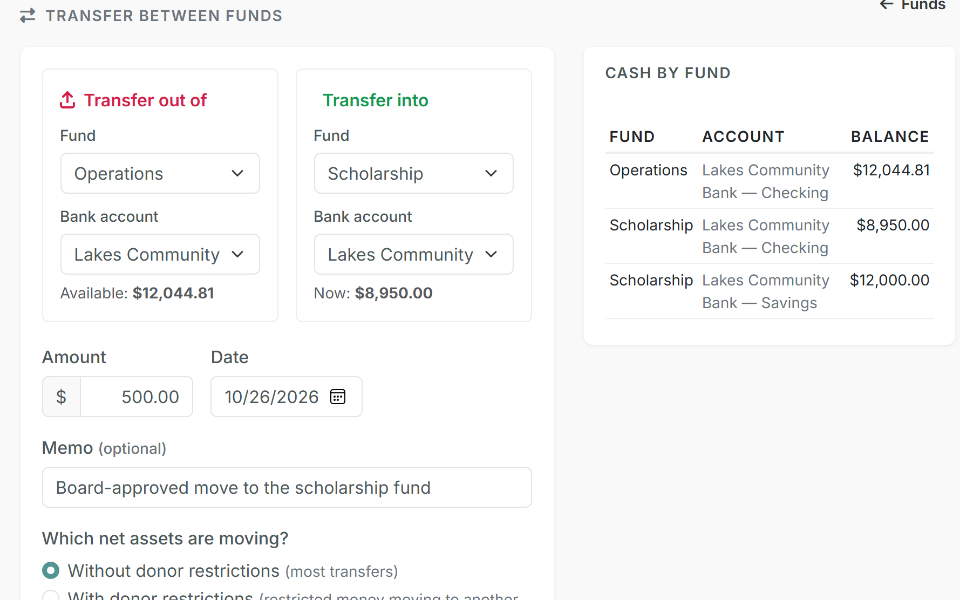
The Transfer Between Funds form moving $500 from Operations to Scholarship, with cash by fund alongside

Accounting conveniences

Move money between funds with Transfer Between Funds (it shows as a transfer, never as income or an expense). Undo your latest bank reconciliation to redo a month. Enter checks and deposits still in transit when you set up, so your first reconciliation balances.
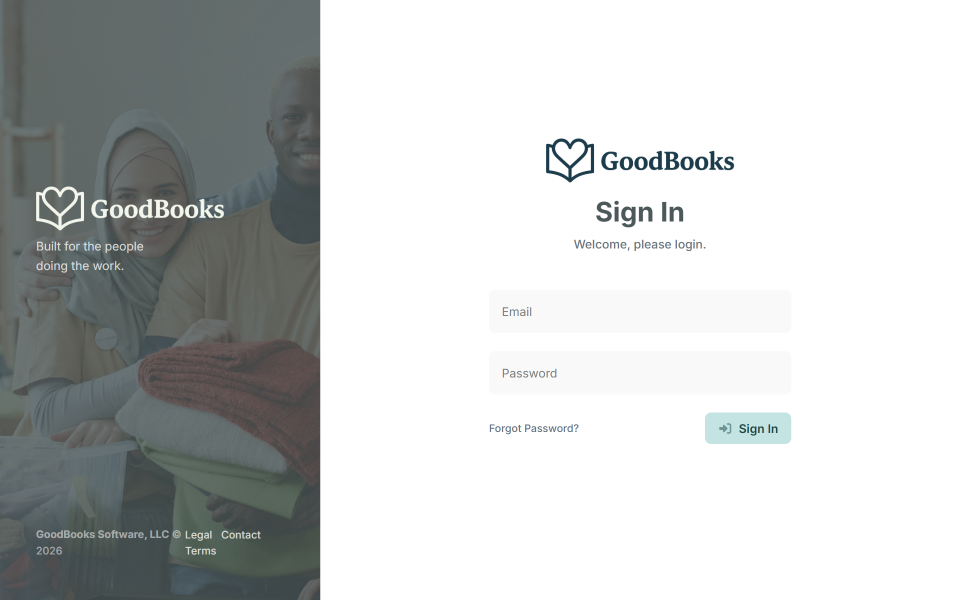
The GoodBooks sign-in page

Security you don't have to think about

An invisible "are you human?" check now protects sign-in, sign-up, and every donation and payment page, which stops scripts from testing stolen cards on your donate page. New passwords must be at least 12 characters, and repeated wrong login codes pause sign-in for that account.
September 2026

Bank-account giving, 1099s, and dues that split themselves.

September was about the money-in side of the books: cheaper ways for donors to give, year-end tax prep that starts now, and membership dues where part of the check belongs to someone else.

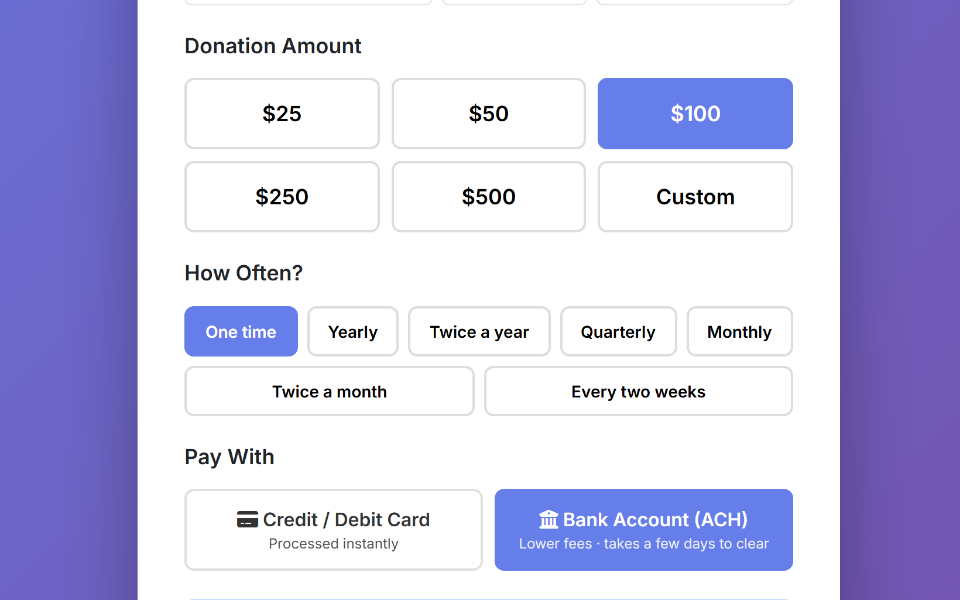
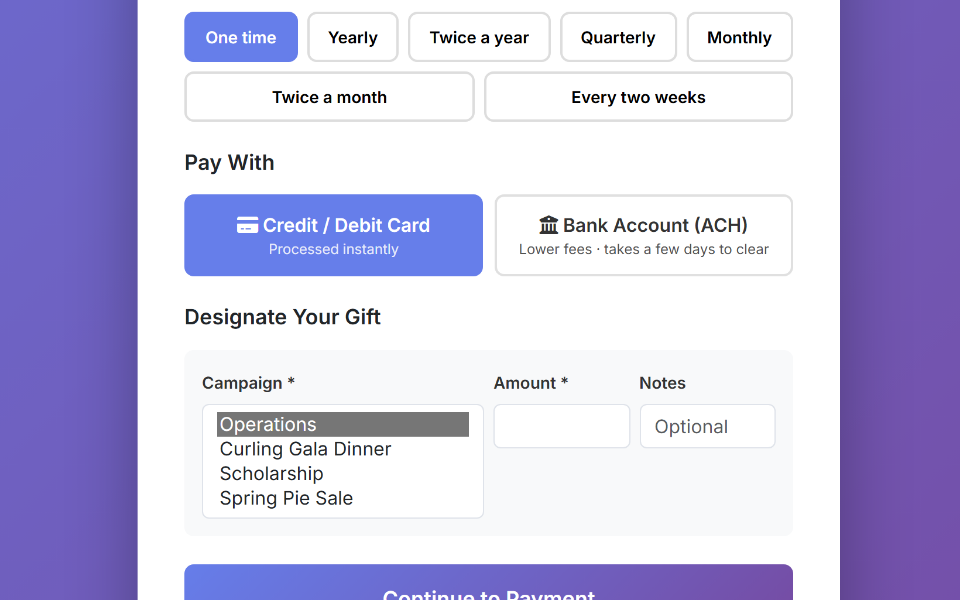
A donate page with Bank Account (ACH) chosen as the way to pay

Bank account (ACH) giving

Donation pages, membership renewals, and invoice pay links can now take payments straight from a bank account. The processing fee is 0.8% capped at $5 (versus 2.9% + 30¢ for cards), plus the usual 0.25% GoodBooks platform fee ($1 per gift on the Free plan). Donors verify instantly through their bank or with two small deposits, and gifts show as "ACH Processing" until they clear. One switch under Online Payments.

All plans with online payments

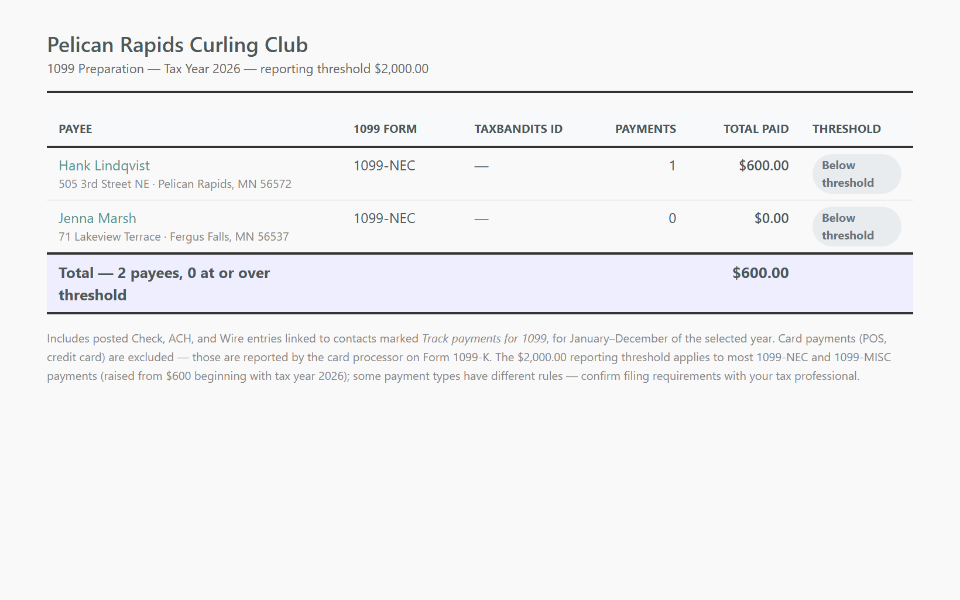
The 1099 Preparation report listing payees, form type, payments and a threshold badge

1099 vendor tracking

Flag a contact as 1099-tracked, pick the form, and the new 1099 Preparation report totals the year's check, ACH, and wire payments to each payee with a File / Below-threshold badge — threshold-aware ($600 through 2025, $2,000 from tax year 2026) and exportable to CSV. Card payments are excluded, since the processor reports those.

Foundation and up

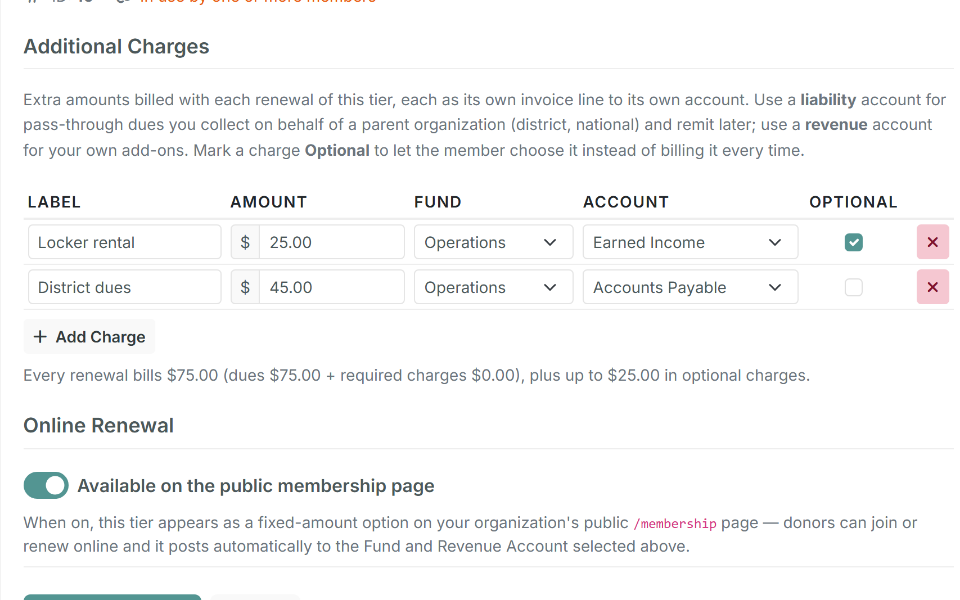
A membership tier with additional charges: a locker rental and district dues posted to a liability account

Membership add-on charges

Tiers can carry additional charges that each post to their own account — a liability account for district or national dues you pass through, or a revenue account for your own add-ons. Optional charges become checkboxes on the public membership page, and online payments settle each piece to the right account.

Foundation and up

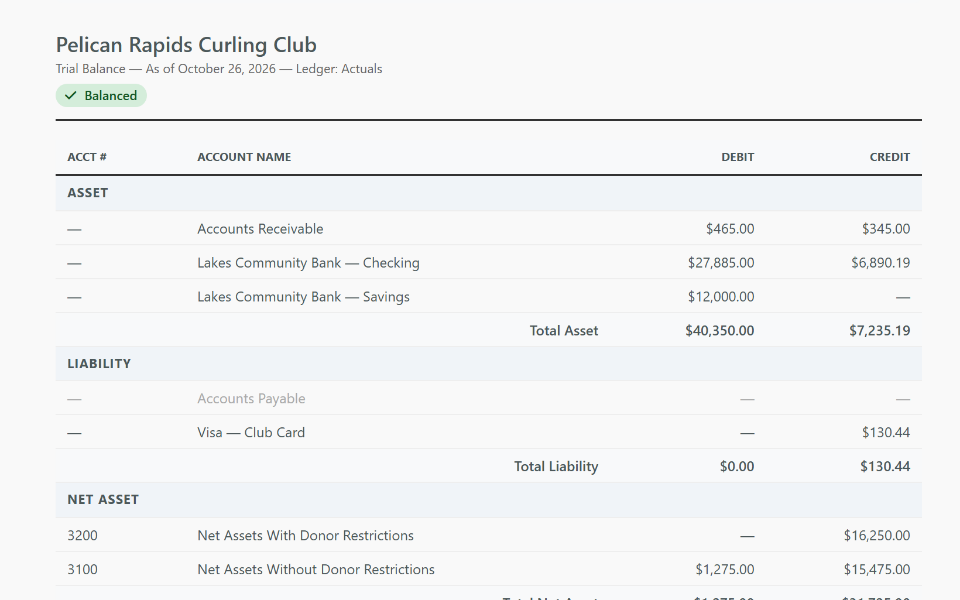
A trial balance with sub-accounts indented under their parents

Statements that read right

The Income Statement now prints subtotal rows under accounts with sub-accounts, the Trial Balance indents sub-accounts under their parents, and every date-range report opens at the start of your fiscal year instead of January 1.

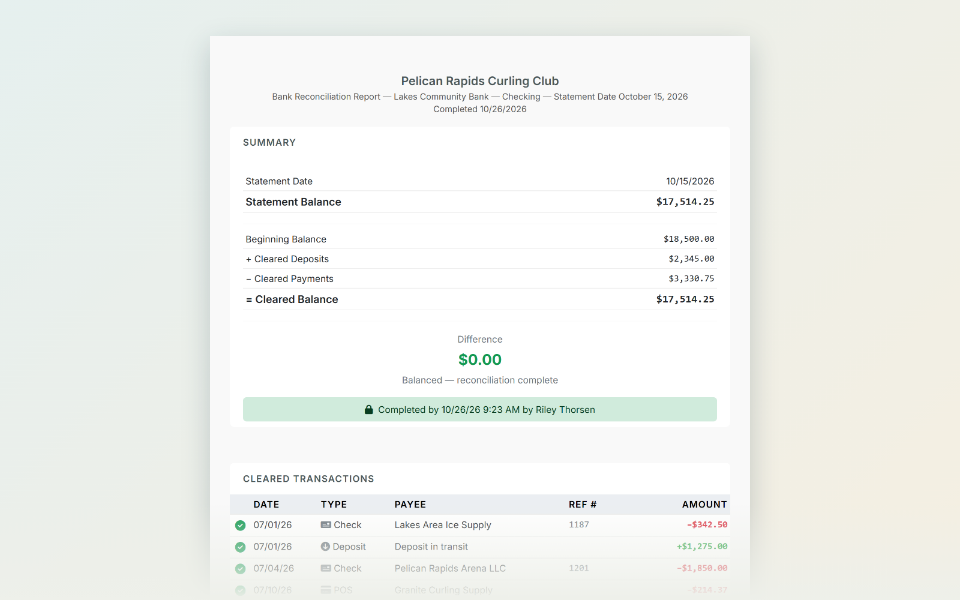
A printed bank reconciliation with the summary and the cleared transactions

Printable bank reconciliation

A completed reconciliation now has a proper print view — organization, account, and statement date up top, summary panel, then the cleared transaction list — for the binder or the auditor.

The donate page’s campaign list with the general fund first

Fixes and plumbing

The donation page lists the General Fund first. Large spreadsheet imports go through again. The donor-record plan limit counts only actual donors, so vendors and customers don't use up the cap. And GoodBooks now reports its own errors to us the moment they happen.

August 2026

Accountants, phones, and fewer clicks.

August opened GoodBooks up to the professionals who keep books for a living — and made everyday entry faster for everyone else.

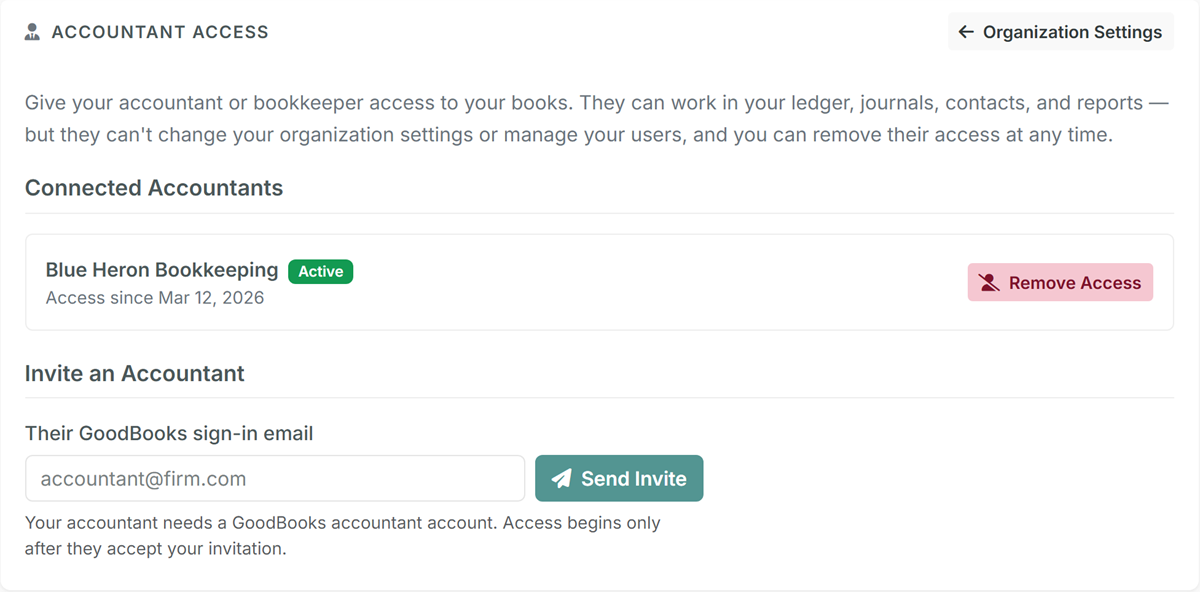
Accountant Access settings showing a connected bookkeeping firm and an invite box

Accountant Access

Invite your outside accountant or bookkeeping firm into your books by email. They get full bookkeeping access with one login for all their clients — but no access to your settings, users, or billing, and you can revoke the connection any time. Every entry they make is badged in your audit trail. Read how it works →

All plans

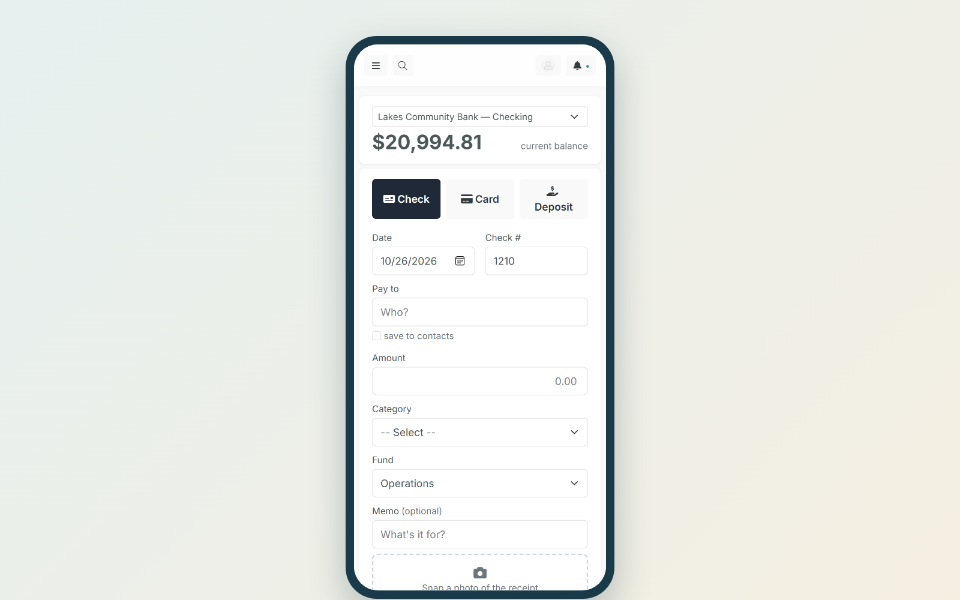
The phone register with the balance up top, quick check entry and a receipt photo button

Mobile register with receipt capture

A phone-first register: balance up top, quick entry for checks, card charges, and deposits — and a camera button that snaps the receipt, straightens it, converts it to PDF, and attaches it to the transaction on the spot.

All plans

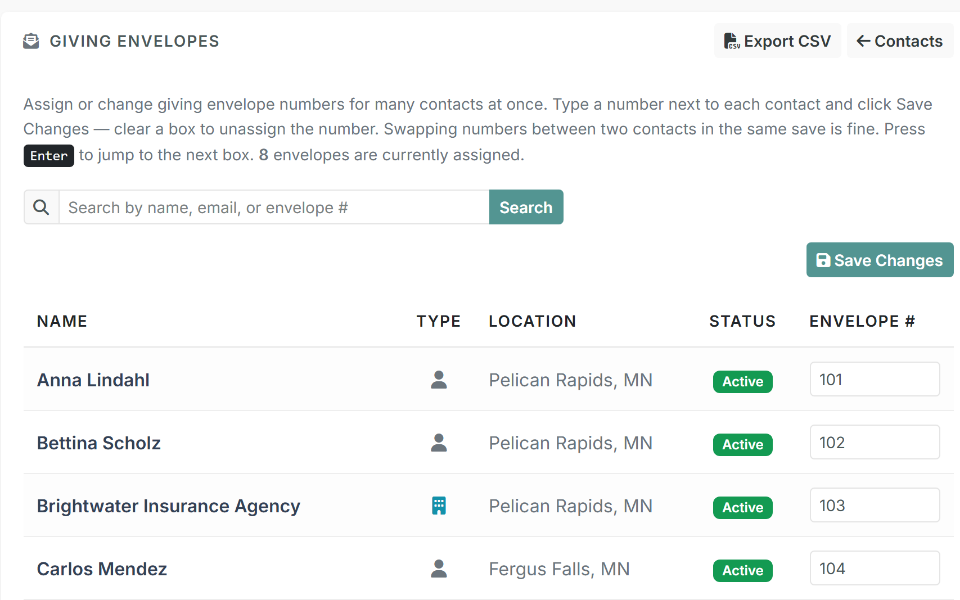
The Giving Envelopes screen listing contacts with their envelope numbers

Bulk envelope manager

Assign or renumber giving envelopes for the whole congregation on one searchable screen, with conflict checking — plus a CSV export formatted for your envelope printer.

Core plan

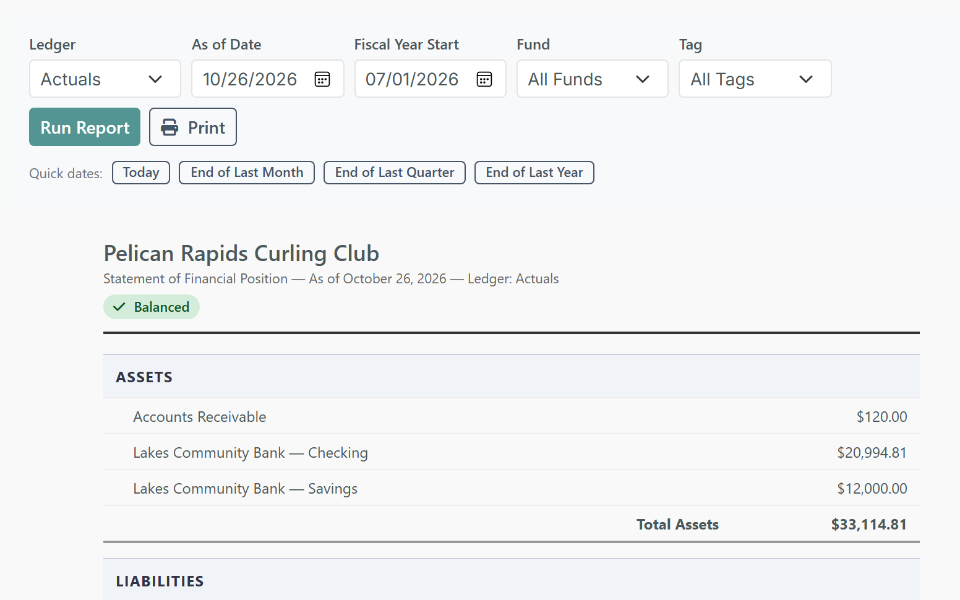
Quick-date buttons above a Statement of Financial Position

Quick-date buttons on reports

Every date-driven report now has one-click presets — month-to-date, YTD, last quarter, end of last year — and they're aware of your fiscal year, so "YTD" means your year.

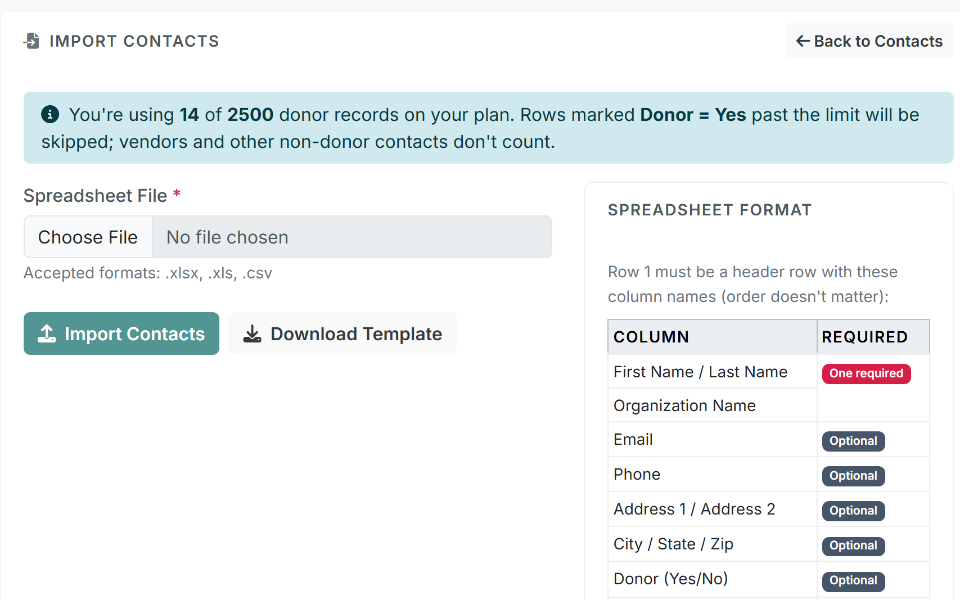
The Import Contacts page with the spreadsheet upload and the list of columns it reads

Bulk contact import

Bring your whole donor and contact list over in one spreadsheet upload — CSV or Excel, with duplicate detection, so re-running an import never creates a mess.

Checkbook register rows with clickable deposit batch numbers

Register quality-of-life

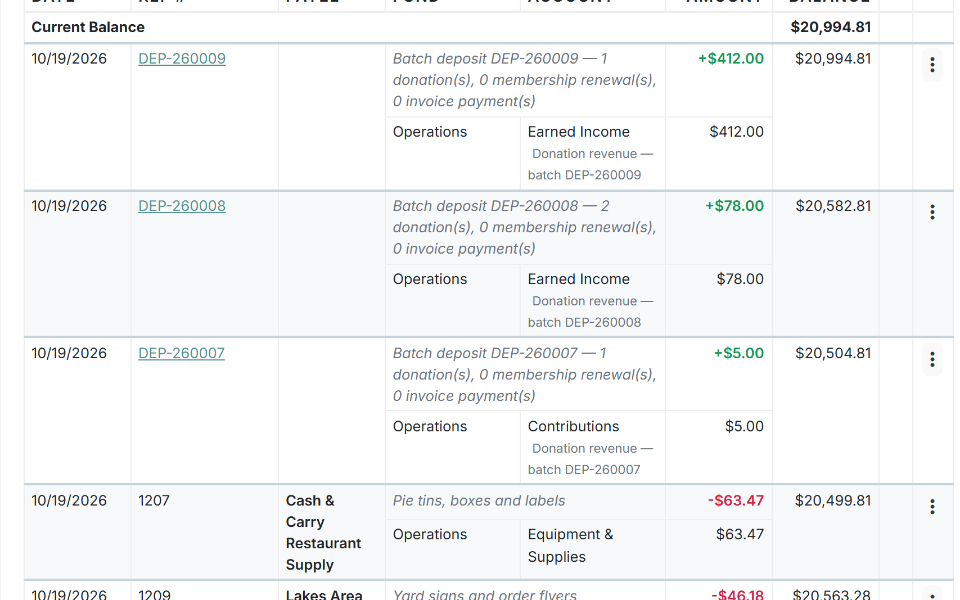
Ref numbers in the checkbook register are now clickable — jump straight to the deposit batch or invoice behind an entry. Income Statement and Balance Sheet gained a tag filter, so you can see one campaign's or grant's activity in isolation.

July 2026

Budgets, batch giving, and invoices that collect themselves.

July was the biggest month since launch — three whole modules landed.

A monthly operating budget grid by account

Budgeting module

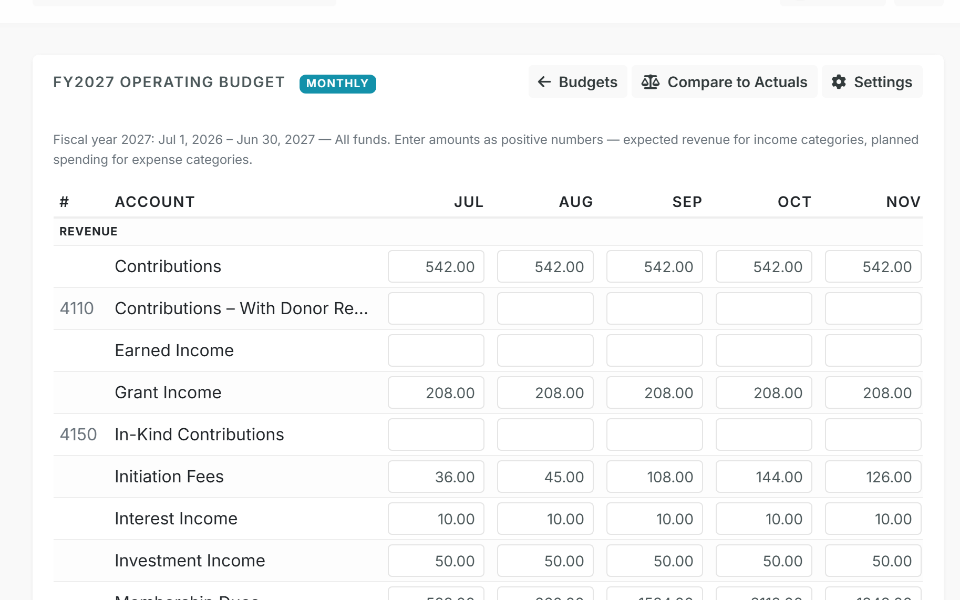
Build a budget for your fiscal year and track it with two new reports: Budget vs Actual for where you stand, and Budget At-Risk for the line items on pace to overrun before year-end. Copy the whole budget forward when the next year starts.

Foundation and up · monthly detail on Core

Batch Gift Entry with four gifts keyed in: givers, amounts, methods, check numbers and campaigns

Batch Gift Entry

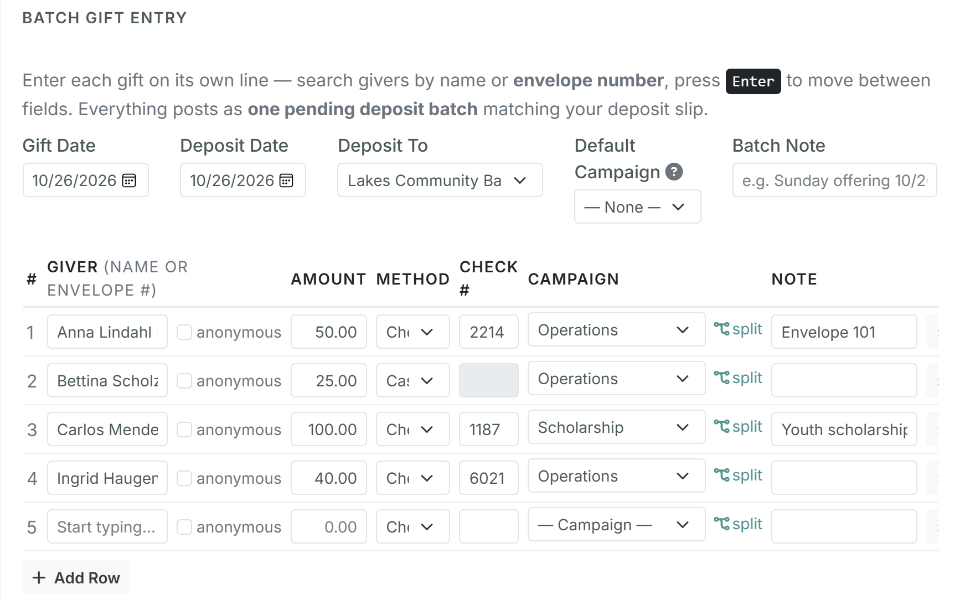
A keyboard-first grid for the counting table: type a name or envelope number, Enter, next gift. Campaign splits, per-method totals to check against the bank bag, anonymous gifts — one clean deposit at the end.

Foundation and up

Typing envelope number 101 in Batch Gift Entry finds the giver

Giving envelopes

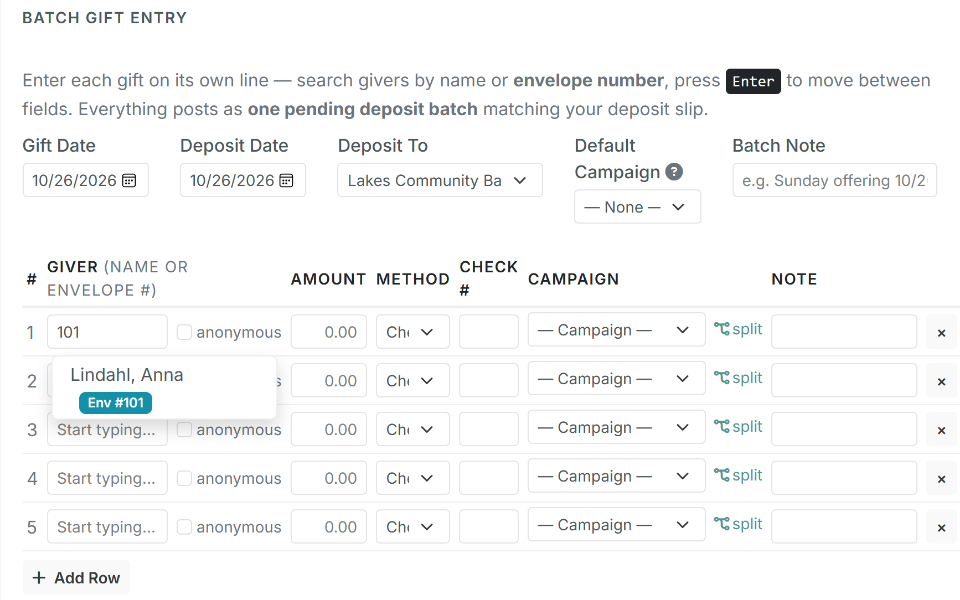
Numbered giving envelopes, the way churches have tracked offerings for generations — attached to each giver and searchable by number during gift entry, so the counting team can key an offering in minutes.

Core plan

An invoice’s pay-online page with card and bank account options

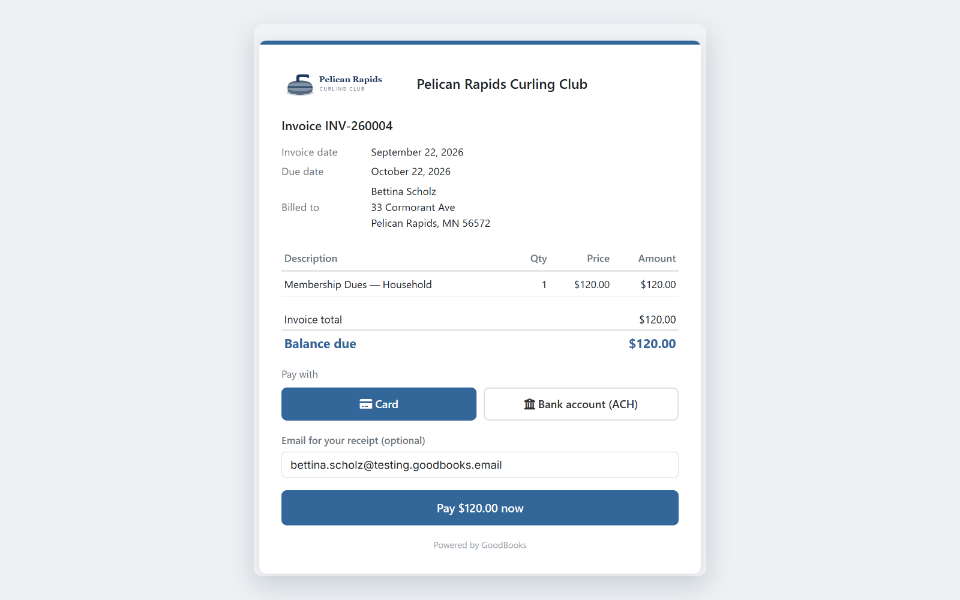
Invoice pay links & recurring invoices

Every invoice carries a secure pay-online link — customers pay by card and the payment posts to your books against the right invoice automatically. Recurring schedules handle rent, dues, and sponsorships; batch recording and payment voiding round out the module.

Foundation and up

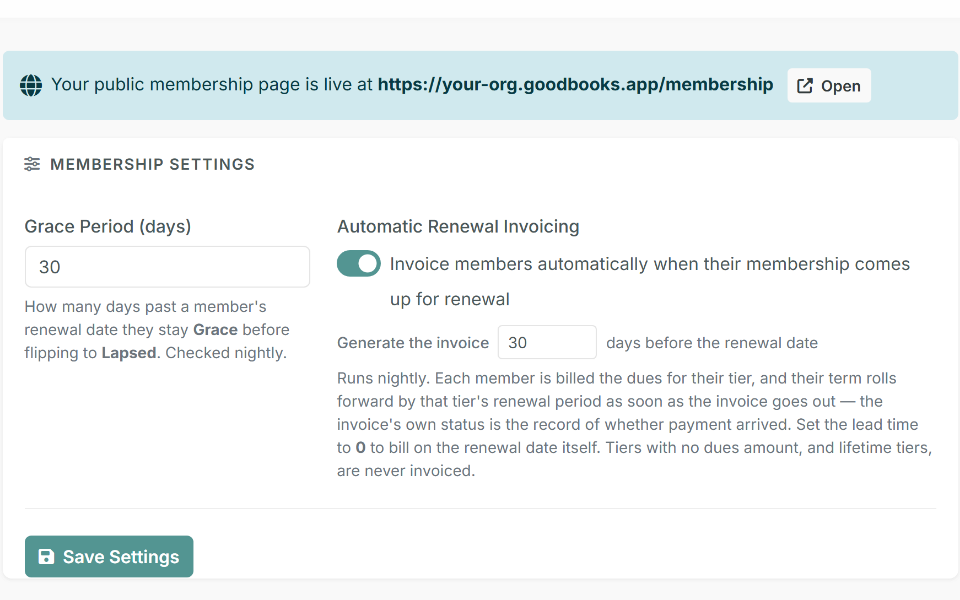
Membership settings with automatic renewal invoicing turned on

Automatic membership renewals

Membership tiers now have real renewal terms — monthly through lifetime — and, if you opt in, GoodBooks invoices upcoming renewals automatically and reminds members as the due date approaches.

Foundation and up

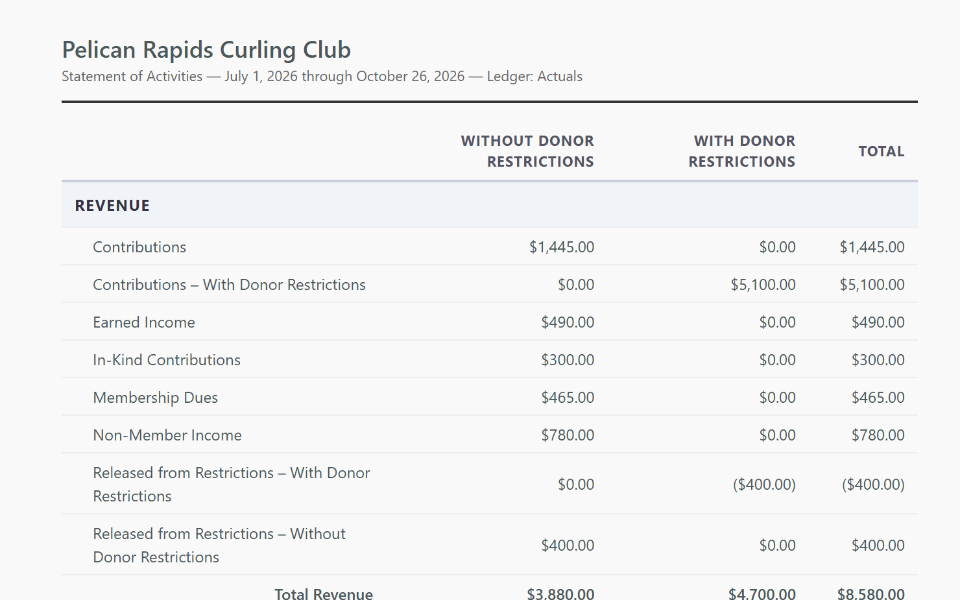
A Statement of Activities with columns for without and with donor restrictions

Restricted gifts that release themselves

Donor-restricted giving (think building campaigns and grants) now follows nonprofit accounting standards without you thinking about it: gifts are tracked to their purpose, and when you spend against a campaign or grant, the release entries post automatically. Statements show restricted and unrestricted columns like your auditor expects.

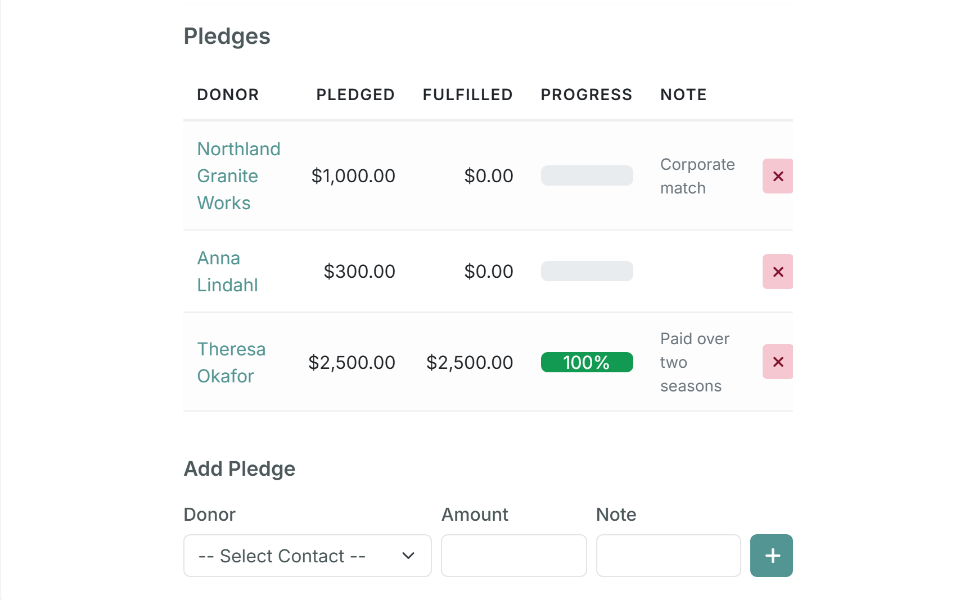
A campaign’s pledges with amounts pledged, fulfilled and progress

Donor CRM & pledges

A donor tab with giving history, notes, and lapsed-giver flags — plus pledge tracking for capital campaigns, with live fulfillment against each pledge and soft credits.

Foundation and up

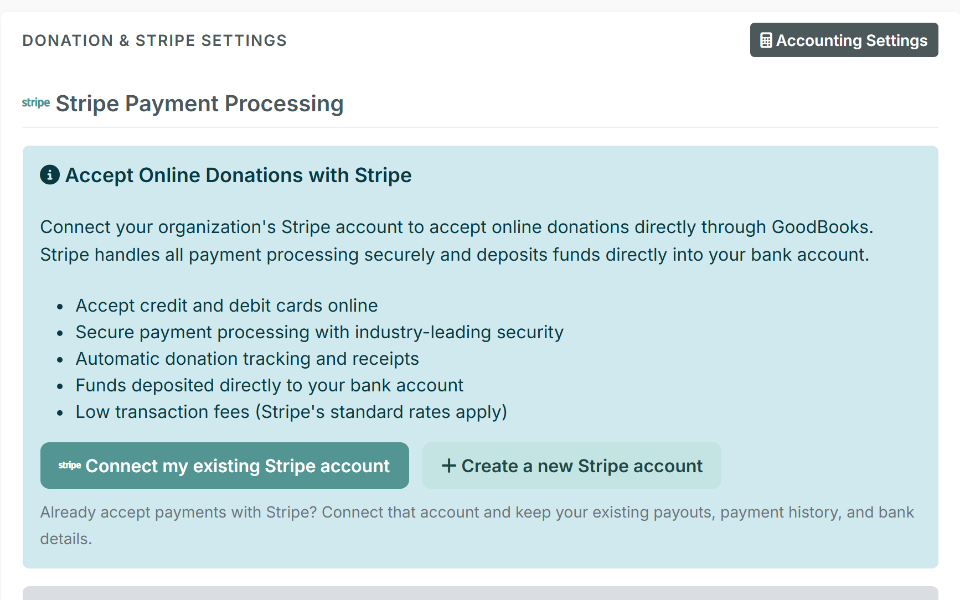
Online payment settings with buttons to connect an existing Stripe account or create a new one

Bring your own Stripe

Already have a Stripe account? Connect it to GoodBooks for online giving and invoice payments instead of creating a new one.

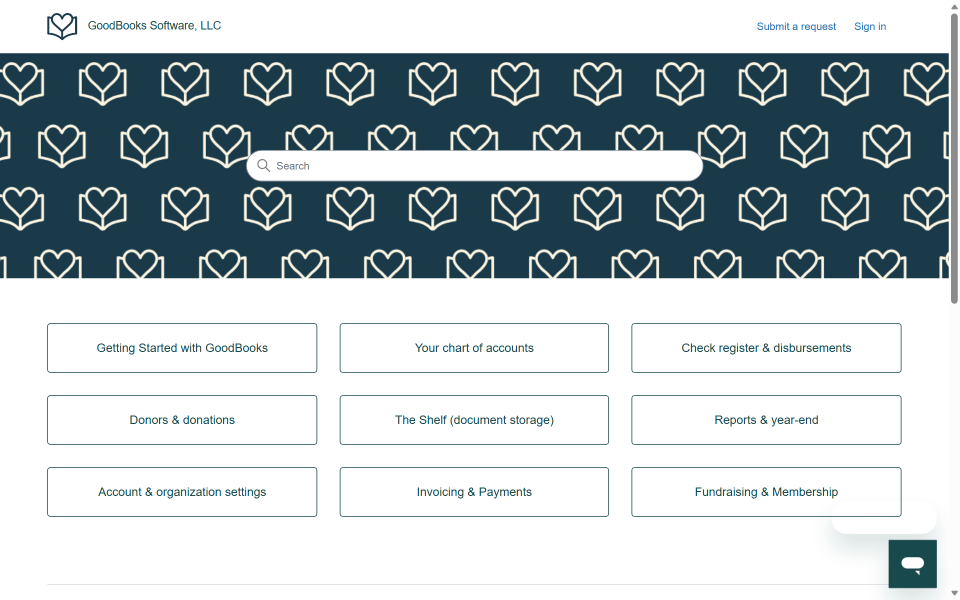
The GoodBooks help center home page with a search box and topic sections

A real help center

We published 40+ plain-language help articles covering everything from bank reconciliation to internal controls — written for treasurers, not accountants — at goodbooks.support.

Spring 2026 · Since Launch

The foundation under all of it.

Everything above sits on what shipped in the first months after launch: real fund accounting with double-entry books behind plain-language screens, online giving with automatic recording, membership management, campaign giving pages, check printing, bank reconciliation, two-person disbursement approval, a full audit log, and The Shelf — document storage so the next treasurer inherits organized books instead of a mystery. See the features page for the complete tour.

All of this is live right now.

Free plan available. No credit card required. New features land automatically — no upgrades to install, ever.

Prefer to see it first? Book a live 20-minute demo →