Chart of Accounts
Start from a nonprofit-ready template or build your own. Assets, liabilities, net assets, revenue, expenses — organized the way your auditor expects, with the flexibility to match your organization.
Fund accounting isn't a feature bolt-on in GoodBooks — it's the foundation. Every transaction is tagged to a fund: general operating, restricted grants, designated gifts, whatever your organization uses.
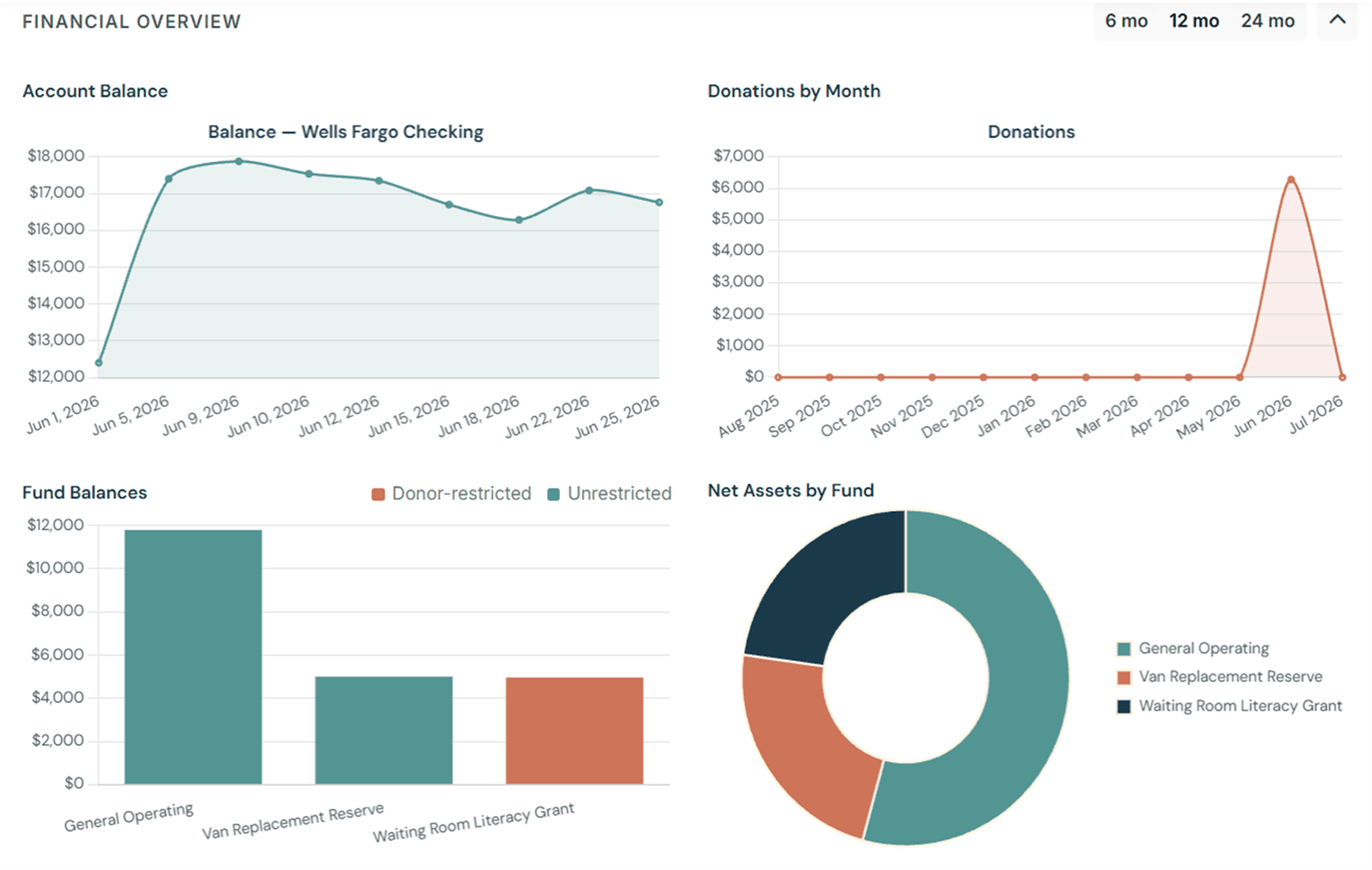
Keep clean records of who gave, when, how much, and toward what. Stop hunting through email threads and bank statements to answer a donor's question or prepare a giving statement.
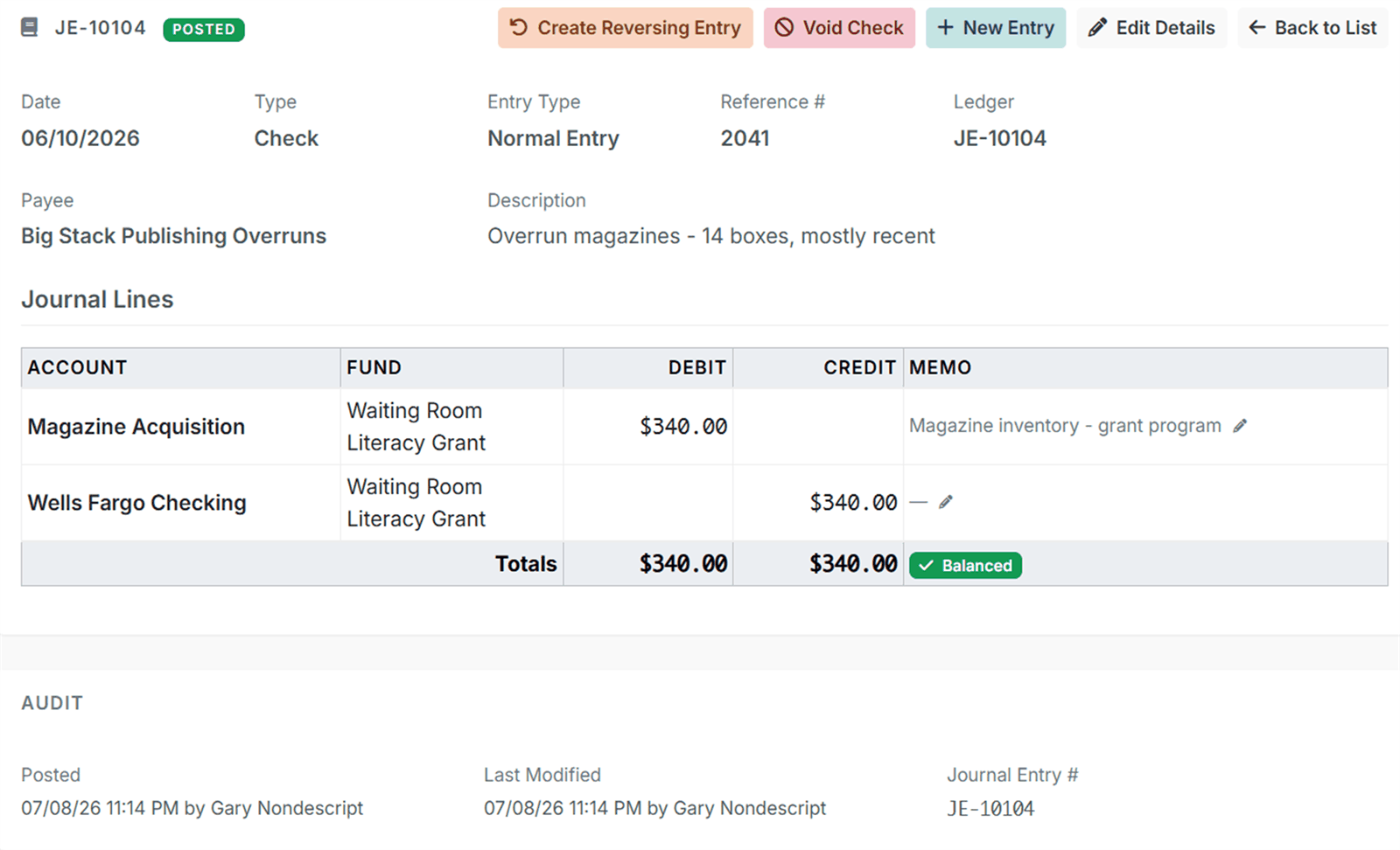
GoodBooks generates the standard nonprofit financial statements your board, your auditor, and your donors expect — formatted correctly, fund-aware, and ready to share before the meeting starts.
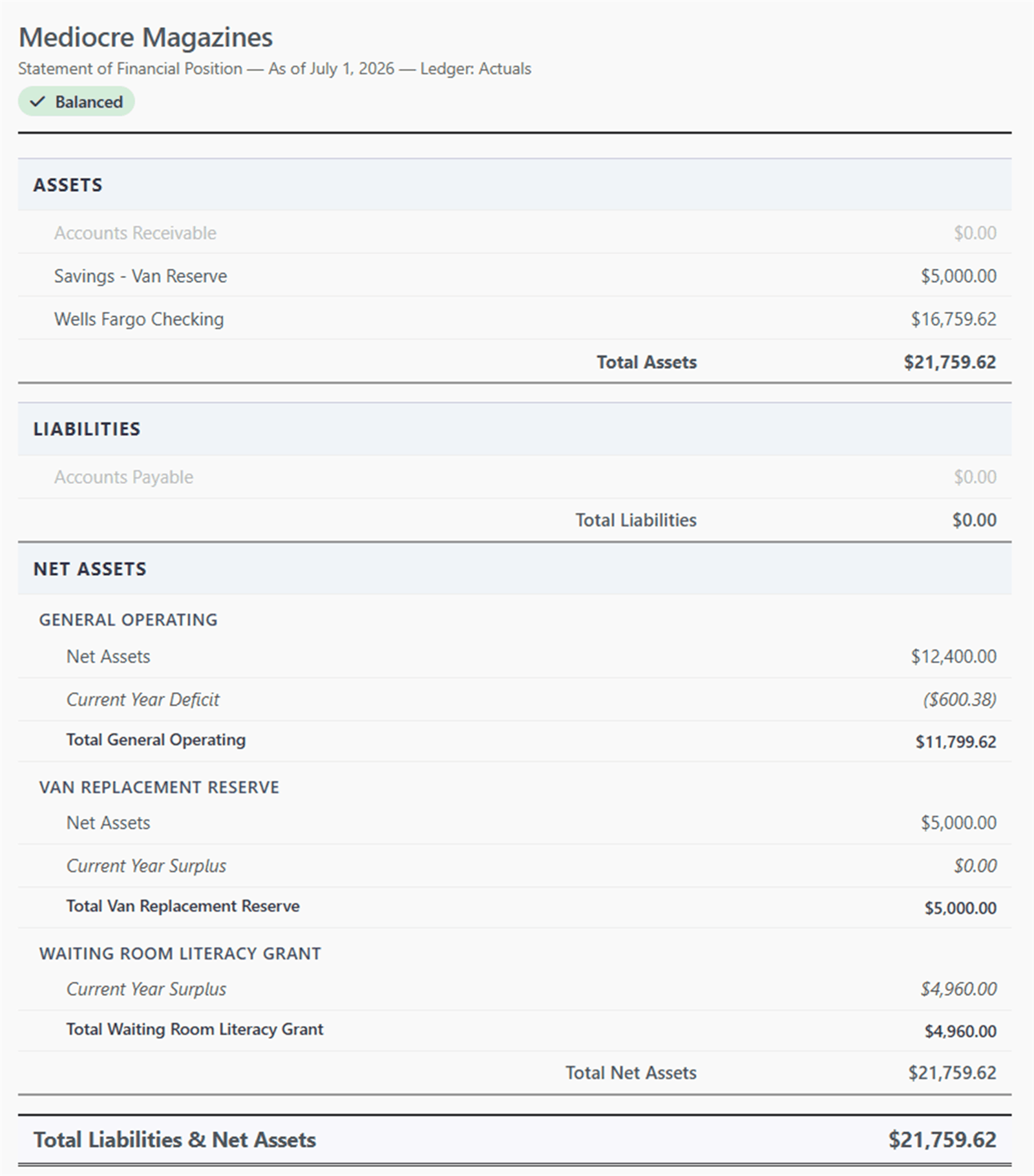
Every transaction in GoodBooks uses proper double-entry accounting — debits, credits, balanced journal entries. You don't need to understand any of that. We handle the mechanics automatically and surface what matters.
Set your annual budget once and GoodBooks tracks actual spending against it automatically. No more manually comparing a report from last month to a column in a spreadsheet.
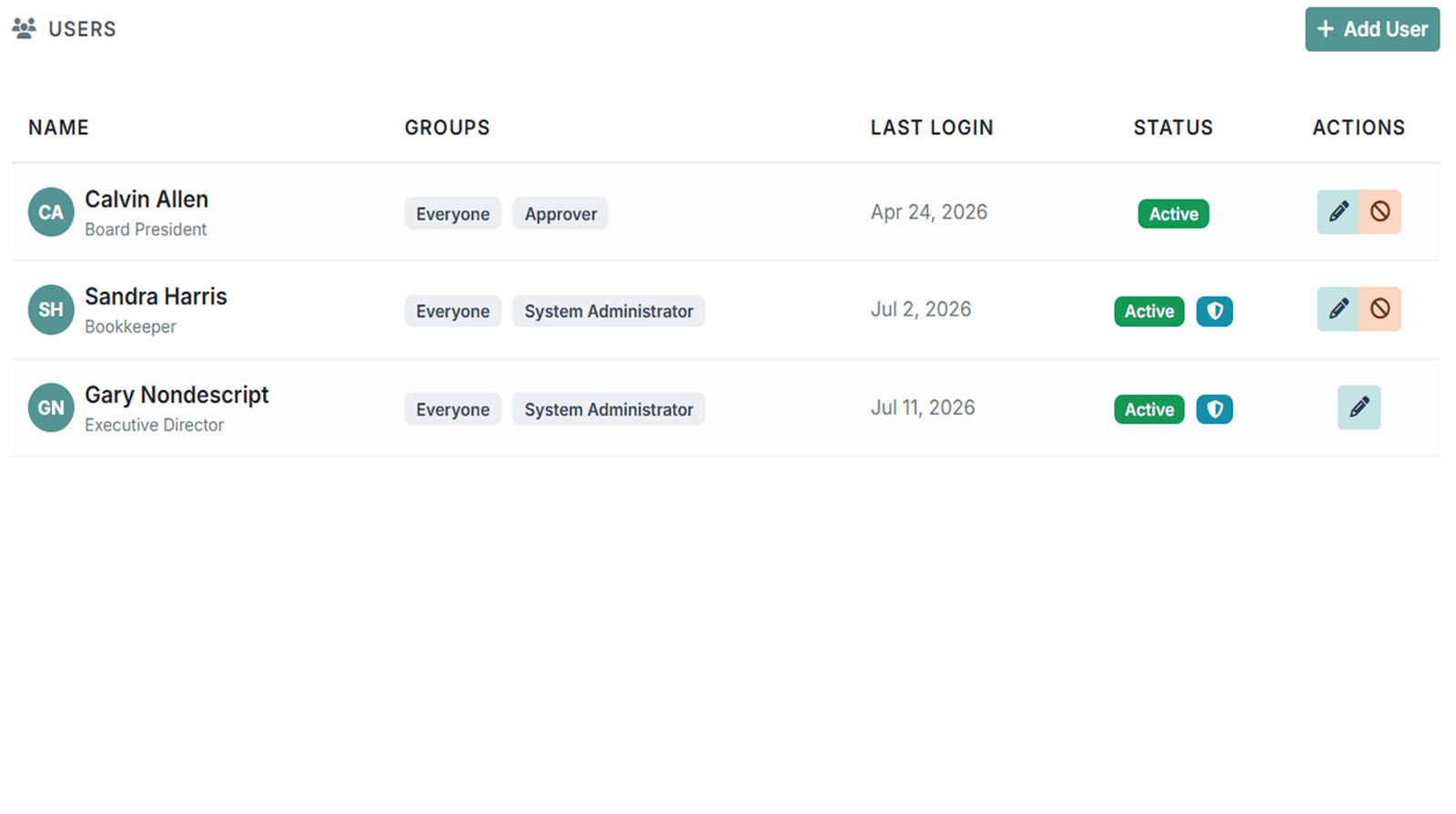
Invite your board treasurer, executive director, or bookkeeper — and control exactly what each person can view, enter, or change. Role-based access that makes sense for how nonprofits actually work.
The things you don't think about until you need them — already built in.
Start from a nonprofit-ready template or build your own. Assets, liabilities, net assets, revenue, expenses — organized the way your auditor expects, with the flexibility to match your organization.
Every change logged with a timestamp and user. Know exactly who entered what, when, and from where. Clean records that make your annual audit a conversation, not a crisis.
Your data is always yours. Export transactions, reports, and donor records in standard formats at any time — no data lock-in, ever. We make it easy to leave if you ever need to.
Accept online donations through Stripe and have them recorded automatically in the right fund. Less manual entry, fewer errors, more confidence in your numbers.
Multi-factor authentication required for all users. Protecting donor data and financial records isn't optional — so we don't make it one. Security built in, not bolted on.
Match transactions against your bank statement line by line. Catch errors early, close your books confidently, and stop second-guessing your ending balance.
Membership tiers, dues invoicing, automatic renewal reminders, and a member roster that tracks active, grace, and lapsed status. Perfect for clubs and community groups.
Numbered giving envelopes for weekly offerings, donation campaigns with goals, and receipts for QCD, DAF, and stock gifts. Built with churches in mind.
A straightforward look at what matters for small nonprofits.
| Feature | GoodBooks | QuickBooks Nonprofit |
Spreadsheets |
|---|---|---|---|
| Fund accounting | ✓ | ~ | ✗ |
| Nonprofit-specific reports | ✓ | ~ | ✗ |
| Volunteer-friendly | ✓ | ✗ | ~ |
| Price | Free + affordable paid plans | $99–$200+/mo | Free (but costly in time) |
| Donor management | ✓ | ~ | ✗ |
| Double-entry bookkeeping | ✓ | ✓ | ✗ |
| Data export | ✓ | ✓ | ✓ |
| Audit trail | ✓ | ✓ | ✗ |
| Multi-user access | ✓ | ✓ | ~ |
| Setup time | Under an afternoon | Days to weeks | Hours (then ongoing) |
~ = partial or add-on support. QuickBooks pricing as of 2026. GoodBooks Free plan $0 · Foundation $15/month · Core $30/month · Annual plans save two months.
If yours isn't here, email us at hello@dogoodbooks.org.
Yes. Fund accounting is the foundation of GoodBooks, not an add-on. You can create and manage as many funds as you need — general operating, restricted grants, designated gifts, endowments — and track every transaction by fund. You always know exactly what's available for what purpose.
Yes. GoodBooks generates the standard nonprofit financial statements your board and auditors expect: Statement of Financial Position (the nonprofit equivalent of a balance sheet), Statement of Activities (income and expenses by fund), and budget vs. actual comparisons. Reports are exportable as PDF.
Unrestricted funds can be used for any organizational purpose at the board's discretion. Restricted funds are designated by the donor or grantor for a specific purpose — a building project, a scholarship, a particular program — and may only be spent as directed. GoodBooks tracks both, clearly labeled, so you never accidentally spend restricted money on general operations.
No. GoodBooks is built specifically for volunteer treasurers who may have no formal accounting background. The interface uses plain language, guides you through common tasks, and handles the double-entry accounting mechanics behind the scenes. You don't need to know what a debit is to keep clean books.
Yes. GoodBooks supports importing transaction data from CSV exports, which covers exports from QuickBooks, Excel, and most banking systems. A full QuickBooks migration guide is coming soon.
GoodBooks supports multiple users with role-based permissions. You can give your executive director, bookkeeper, board treasurer, or read-only board members appropriate access. The number of users depends on your plan — see our pricing page for details.
Yes, always. Your data is yours. You can export your full transaction history, chart of accounts, donor records, and financial reports at any time, in standard formats. We'll never hold your data hostage.
GoodBooks is built around the accounting standards that apply to nonprofit organizations, including FASB ASC 958 (Not-for-Profit Entities). It uses double-entry bookkeeping, produces GAAP-aligned financial statements, and enforces fund accounting practices consistent with nonprofit GAAP. It is not a substitute for professional audit services, but it gives your auditor clean, accurate books to work from.
Free plan available. No credit card required. Up and running in an afternoon.
Create Your Free AccountPrefer to see it first? Book a live 20-minute demo →