Fund Accounting
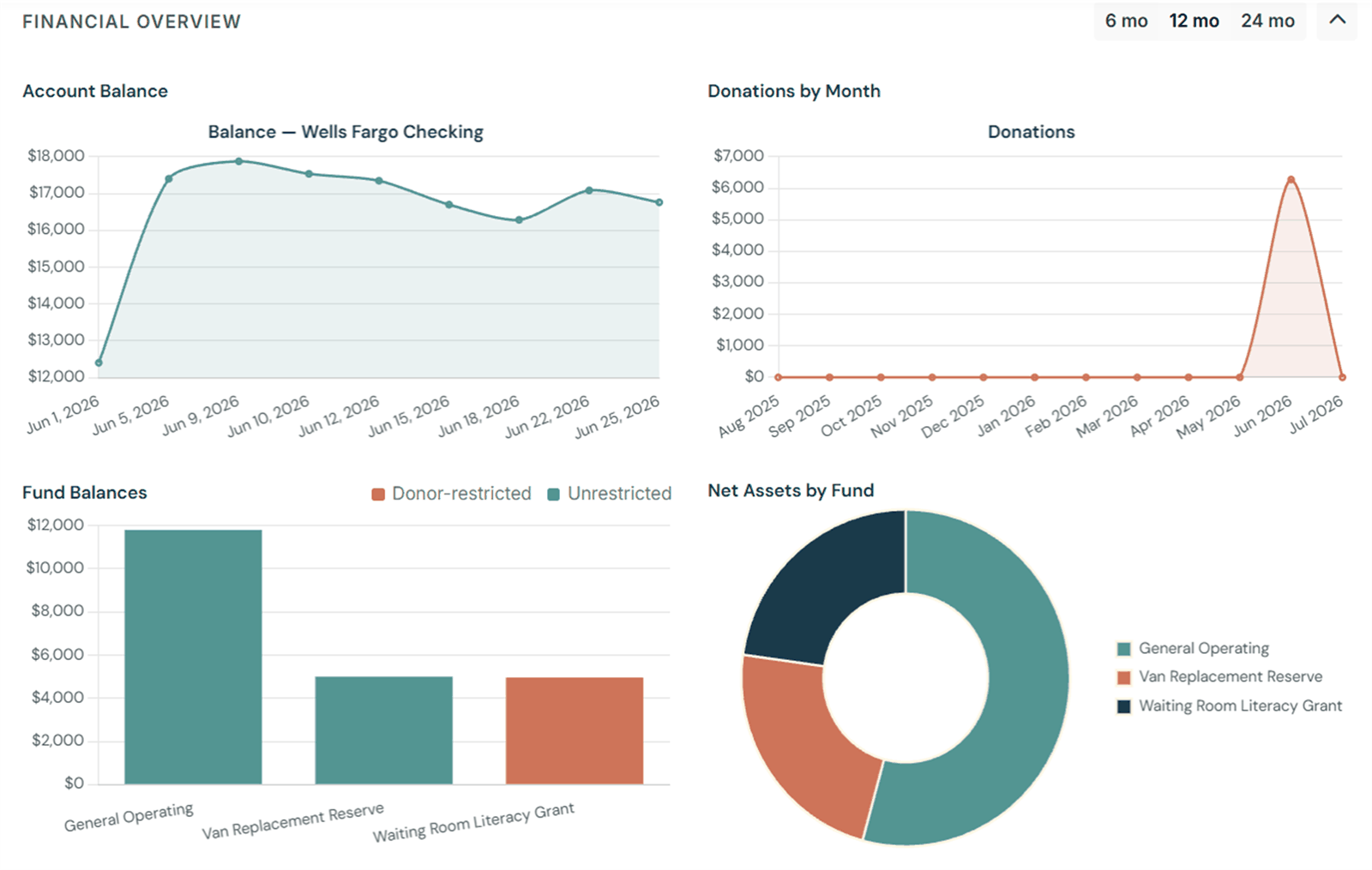
Track money by fund (general, restricted, designated) the way nonprofit accounting actually works. Restricted gifts release themselves when you spend them.
More on funds →You're the volunteer treasurer of a small nonprofit, church, or community club — doing the books on nights and weekends. You shouldn't need enterprise accounting software, or an accounting degree, to keep the books clean and your donors confident.
Free to try. No credit card needed.
Most accounting software was designed for businesses — then sort of adapted for nonprofits as an afterthought. The result? A system that doesn't speak your language, charges prices you can't justify, and requires a learning curve that nobody has time for.
"I became treasurer because I care about this organization — not because I know accounting. I needed something that worked the way nonprofits actually work."— A volunteer treasurer, just like yours
GoodBooks is built around how small nonprofits actually operate — not how enterprise software vendors imagine they do.
Track money by fund (general, restricted, designated) the way nonprofit accounting actually works. Restricted gifts release themselves when you spend them.
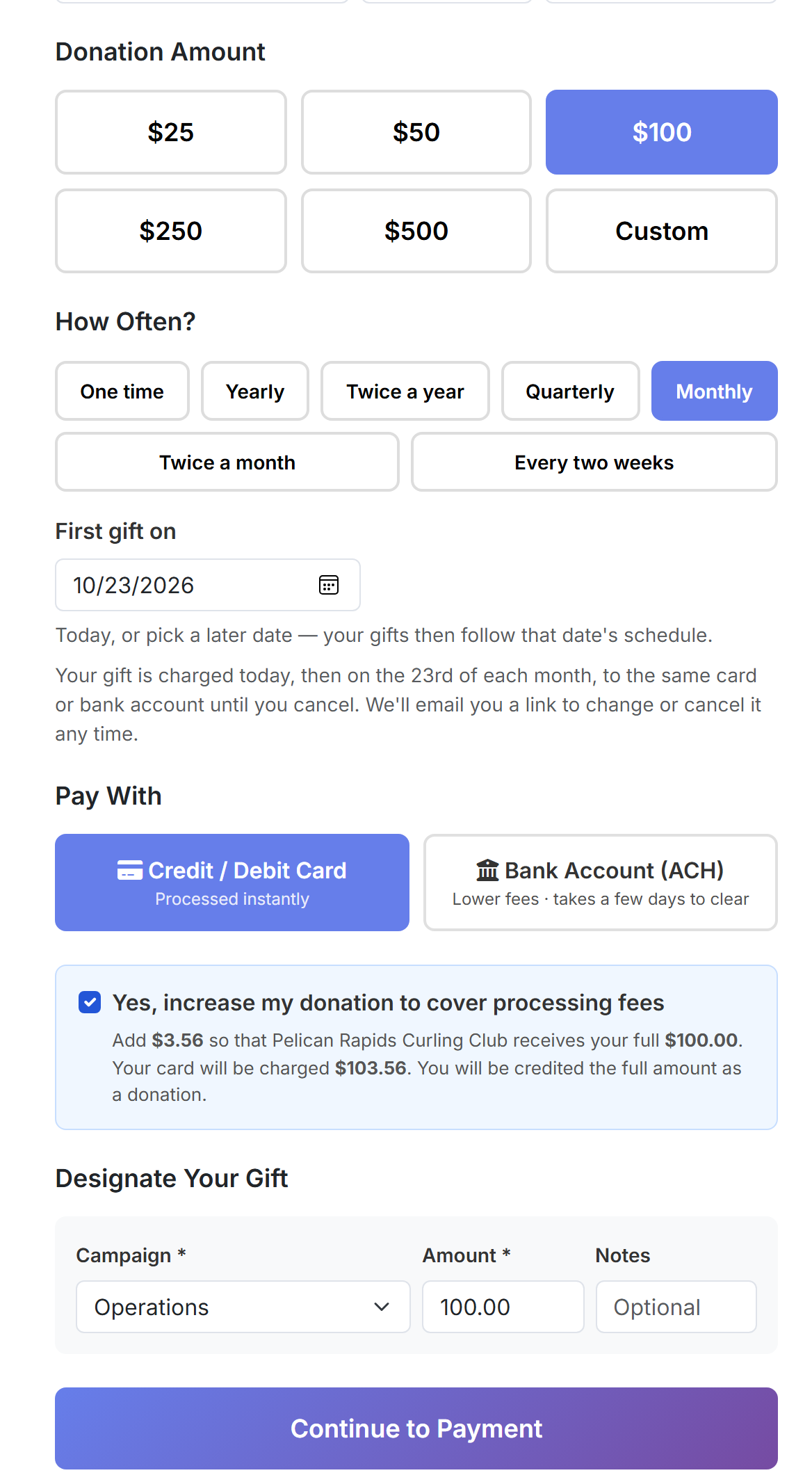
More on funds →Your own donate page for card and bank-account gifts, one-time or monthly. Every gift lands in the right fund with its receipt already sent.
More on online giving →Who gave, when, and toward what. Enter Sunday's offering in minutes and send year-end giving statements without a spreadsheet in sight.
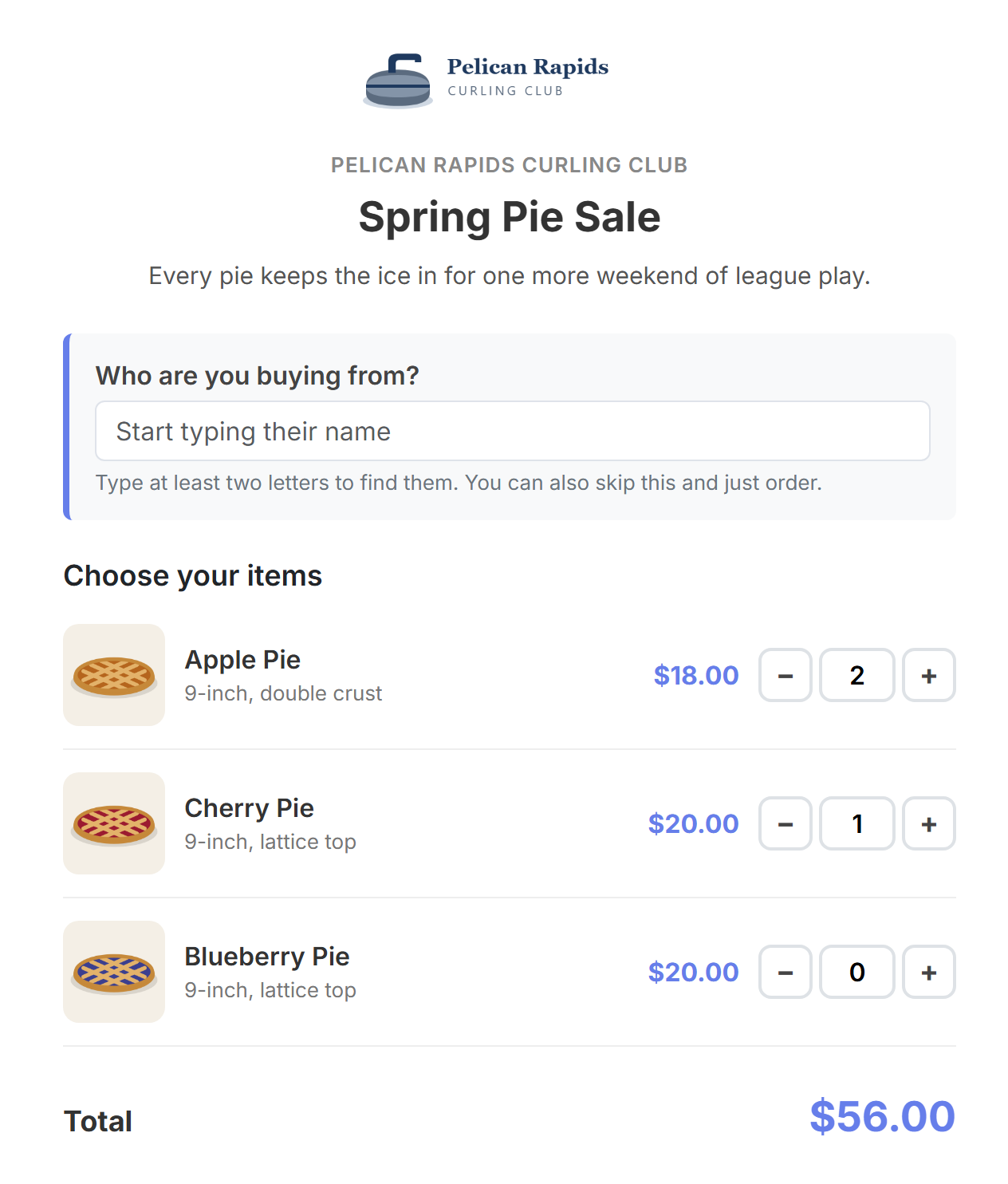
More on donors →Order pages with a link for every seller, event tickets with QR codes, and check-in at the door from a phone. The money is already in your books.
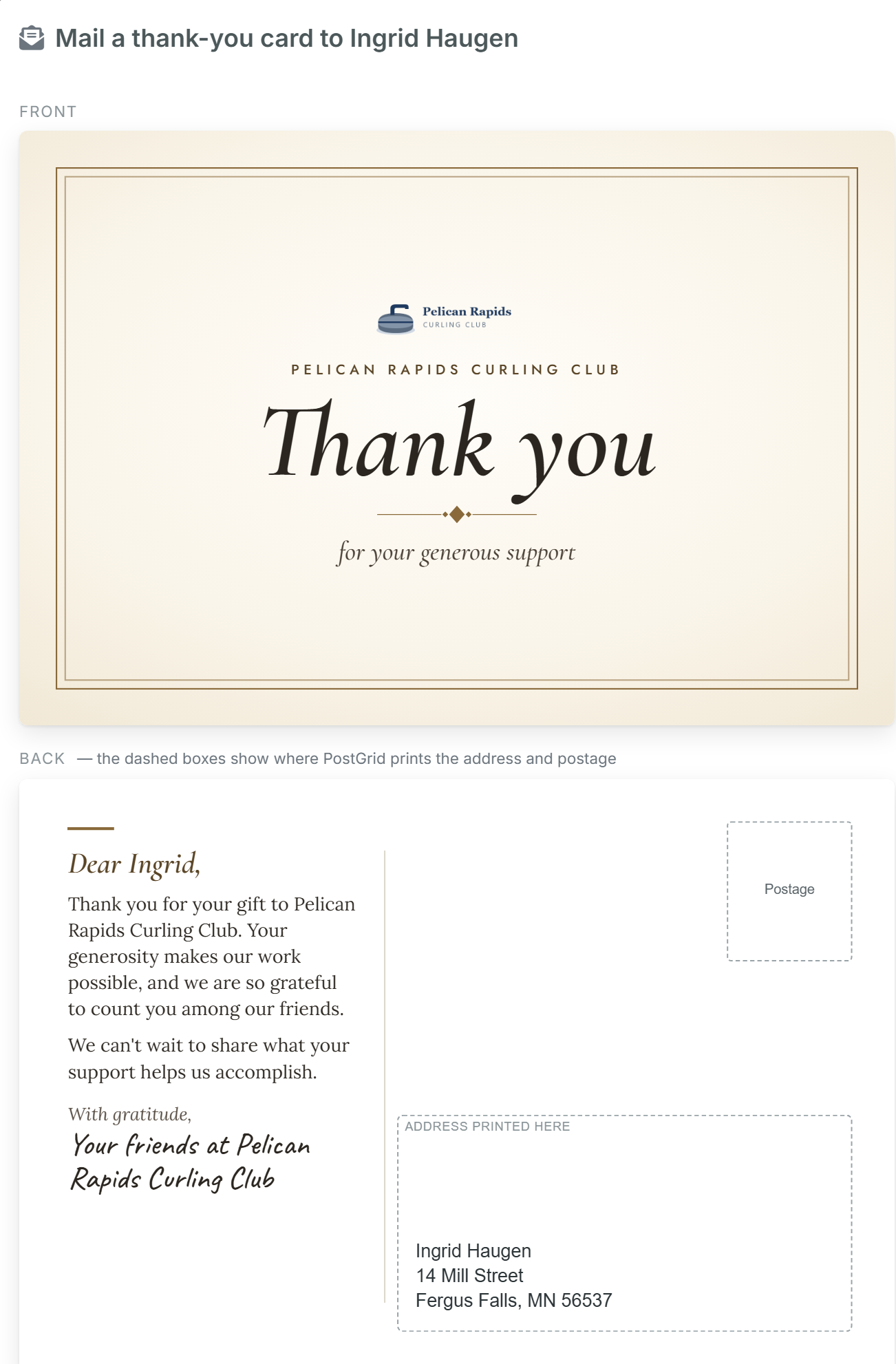
More on fundraisers →Click send and a real postcard goes out First-Class. Statements, invoices and checks can be mailed the same way, paid per piece from a prepaid balance.
More on mail →Dues with online renewals and reminders, and invoices people can pay online with a link. The roster shows who's current, in grace, or lapsed.
More on membership →Statement of Financial Position, Statement of Activities and budget vs. actual, ready to share with your board, your auditor, or your donors.
More on reports →Volunteers submit expenses and mileage with receipt photos. Approve it, pay it, and it's one entry in the books with the receipts attached.
More on reimbursements →Your bookkeeper, approvers and fundraiser chair, each with the right role. Two-step sign-in and a full audit log keep everyone honest.
More on team access →Different missions, same problem: a volunteer keeping the books. Here's how GoodBooks fits yours.
Designated funds for the building and missions, numbered giving envelopes, online giving, and January contribution statements without the January panic.
Church accounting →Membership dues with automatic renewal reminders, event funds, and a clean treasurer's report for every monthly meeting — even when the treasurer changes yearly.
Club & community accounting →Fund accounting for restricted grants, donor management, and the board-ready financial statements your auditor expects — priced for budgets under $200k.
Explore all features →No consultant required. No multi-day setup. Just clean books from day one.
Start from a nonprofit-ready template. Add your funds, your programs, your accounts. It takes about 20 minutes.
Record income, expenses, and transfers. Import from a bank export or enter them directly. Either way, it's straightforward.
Run a report, export a PDF, answer a question with confidence. Your books are accurate, your donors are accounted for, and you can prove it.
We're building GoodBooks for organizations that run lean. That means pricing that makes sense for a $40,000-a-year community org, not just the ones with a full finance staff.
Free plan available now. Foundation at $15/month or $150/year, Core at $30/month or $300/year — annual saves two months. Pro plan coming soon.
Campaigns, envelopes, 2-person approval + free concierge setup on annual plans
Get StartedNo credit card required for the free plan. Compare all plans →
GoodBooks was built by someone who's actually sat in the treasurer's chair — handling the books for a real nonprofit, on a real volunteer schedule, with real board members asking real questions at real meetings.
The tools that exist either cost too much, work too differently from how nonprofits operate, or were clearly designed by software people who've never run a fund report in their lives.
GoodBooks is the tool that should have existed. Nonprofit accounting that speaks the right language, designed from the ground up for the people doing this work — not adapted from business software or stripped-down from enterprise tools.
It's built to be honest, approachable, and genuinely useful. Like a good treasurer.

Free plan available. No credit card required. Up and running in an afternoon.
Create Your Free AccountPrefer to see it first? Book a live 20-minute demo →
Free plan available · Foundation at $15/mo · No per-user fees