1 · Get your firm workspace
Book a 20-minute call or email hello@dogoodbooks.org. We'll set up your firm workspace and walk you through the client view — no charge, no per-user fees.
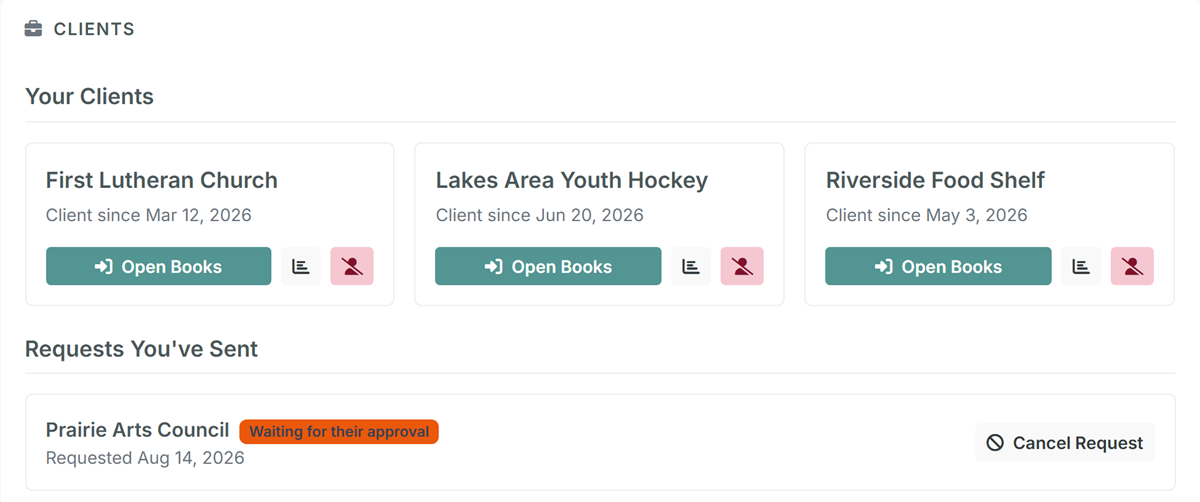
Connect to each client once — you invite them by the email they sign in with, or they invite you, and the other side approves. From then on, every client is a card on your firm's home screen and an entry in the header switcher. Month-end is open, post, reconcile, switch, repeat.
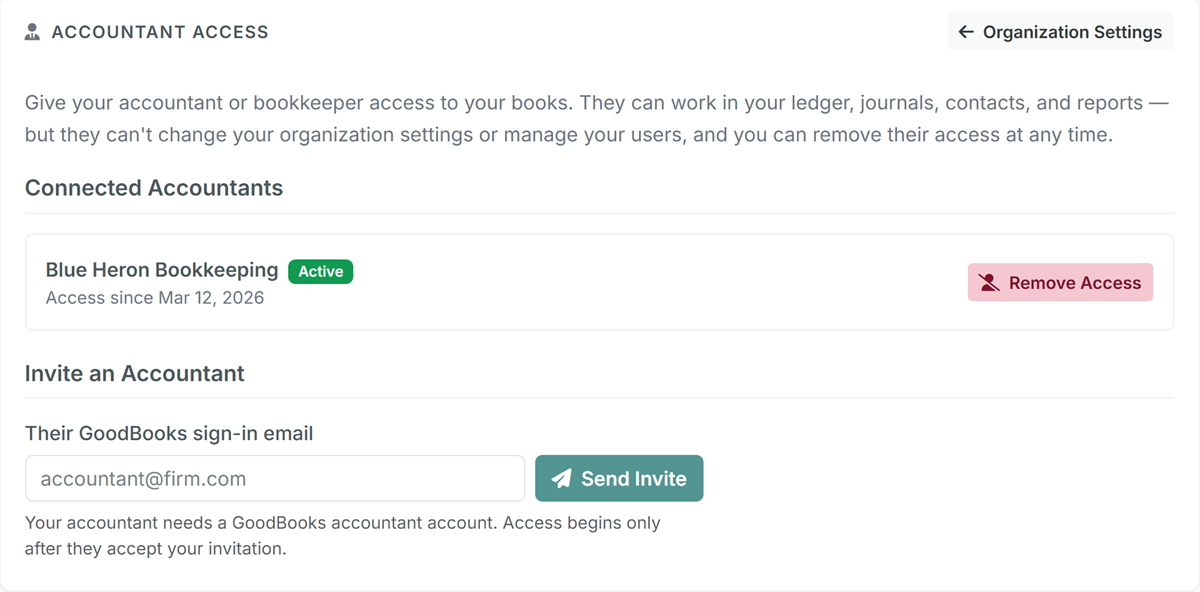
Accountant Access is built so a nonprofit board can say yes to it comfortably. You get the full set of bookkeeping tools in every connected client. You don't get their settings, their user accounts, or their billing — and you can never approve or extend your own access. If the relationship ends, one click ends the connection, immediately.
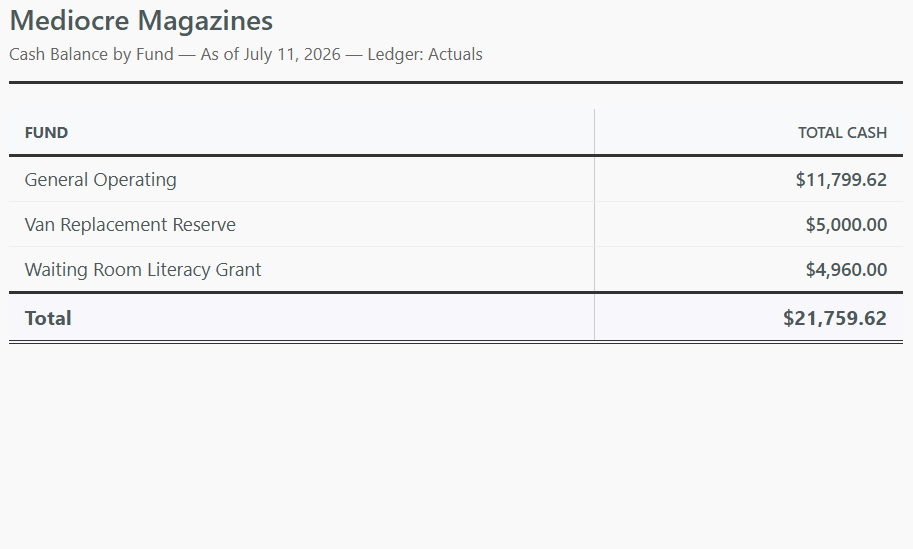
GoodBooks shows volunteers plain-language screens, but underneath it's proper double-entry fund accounting — so what your client records on Sunday is something you can stand behind at year-end. Restricted gifts follow ASC 958 with automatic release entries, statements come in the two-class format, and everything traces to a journal.
Firm workspaces are set up personally — it takes one short conversation, and it's free.
Book a 20-minute call or email hello@dogoodbooks.org. We'll set up your firm workspace and walk you through the client view — no charge, no per-user fees.
Invite each client by the email they sign in to GoodBooks with — or have them invite you from their Organization Settings. The other side approves, and the connection is live. New to GoodBooks entirely? Our concierge setup can build a client's chart of accounts and funds for you.
Open any client from your firm home screen or the header switcher. Post entries, reconcile, run reports — then switch to the next client without signing out. Your work is badged with your firm's name in their audit trail.
If yours isn't here, email us at hello@dogoodbooks.org.
Connected accountants get full bookkeeping access: journal entries, the register, contacts and donors, invoicing, reconciliation, and every report. They can't touch organization settings, user accounts, security policies, or billing — and they can never approve or extend their own access. Every entry an accountant makes is badged with the firm's name in the audit trail.
Yes, at any time, with one click — no phone call required. The connection ends immediately: if the accountant is working in the books at that moment, their session is returned to their own firm on the very next page load.
Nothing. Your firm workspace runs on the Free plan, and there are no per-user fees, so your whole team can have logins. Each client organization subscribes to its own GoodBooks plan — Free, Foundation at $15/month, or Core at $30/month. See pricing.
Yes — each client organization has its own GoodBooks account, its own books, and its own subscription, which they always control. The smallest clients can run on the Free plan. If you're moving a client over from spreadsheets or QuickBooks, our concierge setup service can build their chart of accounts and funds for you.
Yes. Client connections belong to the firm, so every active user in your firm workspace can open any connected client's books. Since there are no per-user fees, add as many team members as you need.
Book a quick call or email hello@dogoodbooks.org and we'll set your firm workspace up personally — it takes a few minutes and costs nothing. After that, connecting each client is invite → approve → done.
A free firm workspace, no per-user fees, and clients who stop handing you shoeboxes.
Set Up Your Firm — Book a CallOr email hello@dogoodbooks.org and we'll take it from there.