Online giving
A giving page for card or bank-account gifts, one-time or recurring, posted to the right fund and giver automatically. Every plan.
When you sign up as a church, choose ELCA as your denomination. GoodBooks starts you with accounts named and grouped the way the Congregation Report asks for them: offerings, other receipts, mission support, staff, building and the rest.
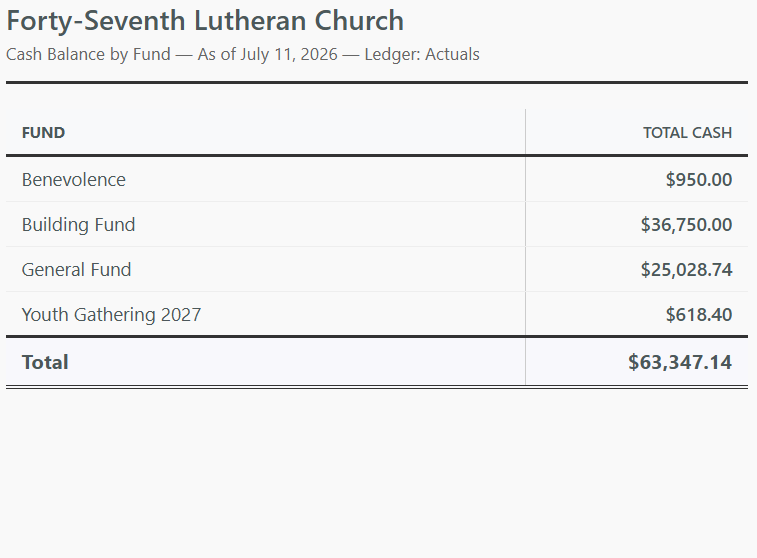
The ELCA Form A Worksheet (Reports → Tax Compliance) fills in the financial part of the report, lines 13 through 18, from your books for the year. Click any line to see the accounts behind it. Print it or save it as a PDF, then type the numbers into the ELCA's online report.
A free Excel download: the chart of accounts GoodBooks gives ELCA congregations, with every account matched to its line on Form A. Set your books up this way and next February's Form A lines are mostly subtotals you already have.
We'll email you the download link, plus a few short notes on church books. Unsubscribe anytime.
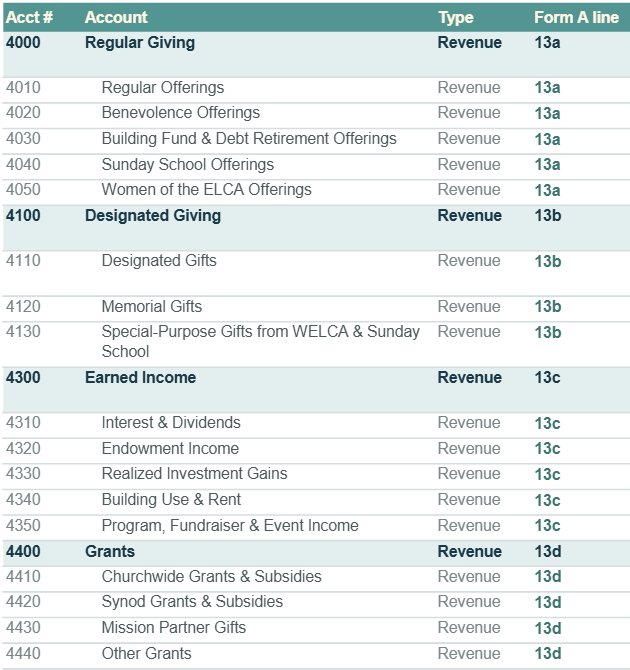
GoodBooks keeps each fund's money apart. A gift to the Building & Capital fund or to the youth ministry is yours to use for anything within that fund. When a donor names a specific purpose, it's recorded as a restricted gift inside the fund and released as you spend it, so you can always show the gift went where it was meant to.
The ELCA chart and the Form A worksheet sit on top of the same GoodBooks every church uses. See GoodBooks for churches →
A giving page for card or bank-account gifts, one-time or recurring, posted to the right fund and giver automatically. Every plan.
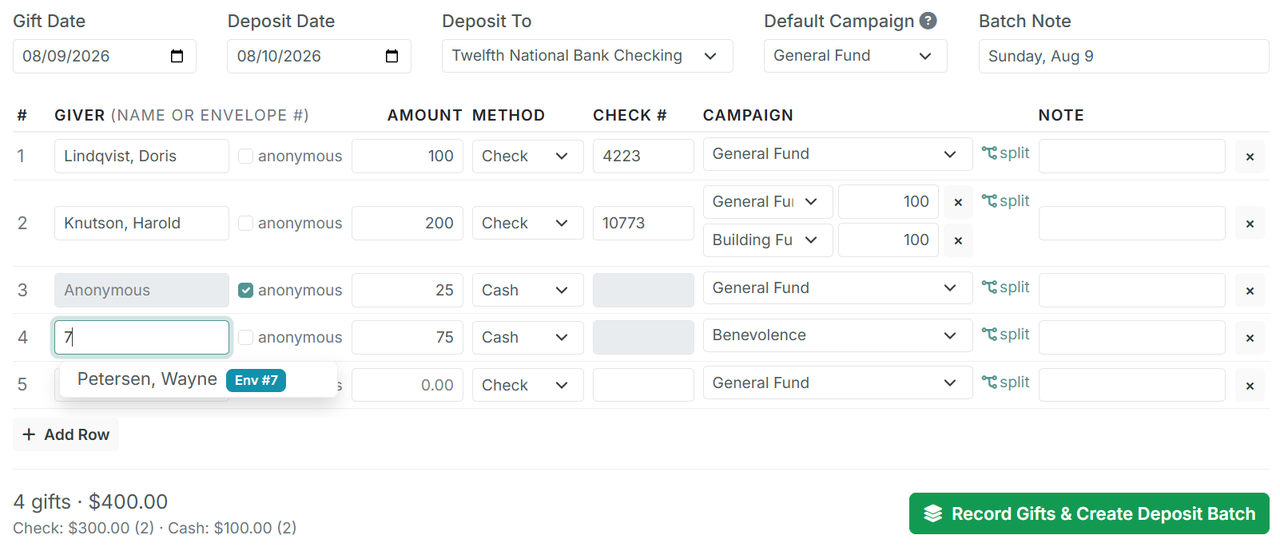
Batch Gift Entry for the whole offering (Foundation and up), numbered giving envelopes (Core), and year-end giving statements for every giver on every plan.
A full audit log on every plan, and two-person approval on outgoing payments on Core, so no check goes out on one person's say-so.
If yours isn't here, email us at hello@dogoodbooks.org.
No. GoodBooks fills in a worksheet with your Form A numbers from your books. You, your pastor or your council still enter them in the ELCA's own congregation report.
Yes. Any church can start with the ELCA chart of accounts at signup, on every plan including Free. The Form A worksheet is on the Foundation plan and up. See the pricing page.
Yes. The worksheet works with any chart of accounts: you choose which Form A line each account belongs on, and GoodBooks remembers it for next year.
No. GoodBooks is independent software for small nonprofits and churches. The ELCA chart and the Form A worksheet are there to make a Lutheran treasurer's year easier.
Free plan available. No credit card required. Choose ELCA when you sign up as a church.
Create Your Free AccountPrefer to see it first? Book a live 20-minute demo →